
Before you start
- You need Financial Management and View on Job costing sheets. For margin, Can see selling prices, Can see purchase costs and Can see profit and margin: "Margin is shown to people who may see prices, costs and profit."
- The Job Costing and Service & Maintenance modules are on for your company.
Steps
Compare service jobs
-
In the sidebar, select Financial › Job Costing, then the Services tab: "Contract value or invoiced amount against material, labour and other cost, for every service contract and one-off job."
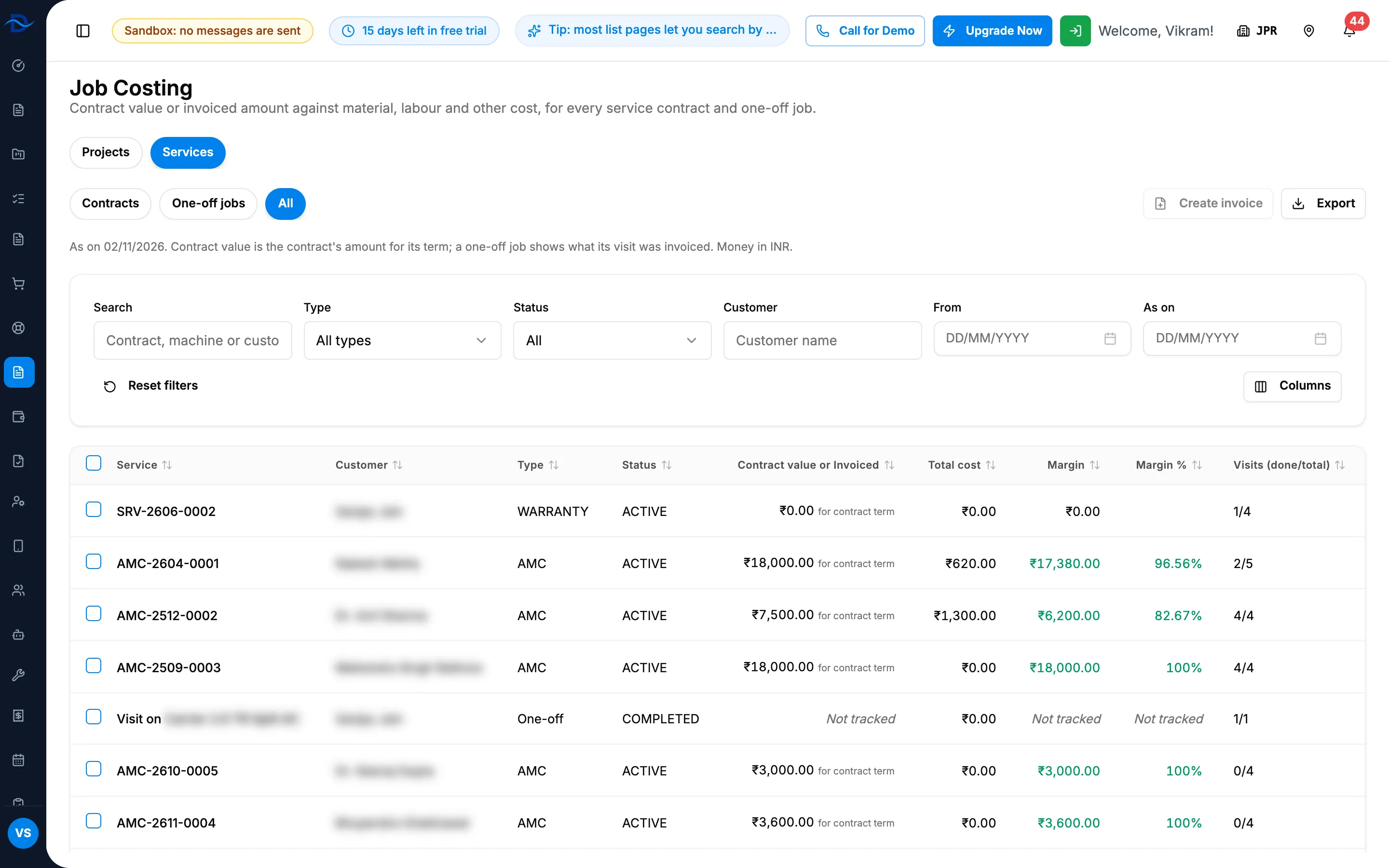
Step 1. Job Costing, Services tab, with Contracts, One-off jobs and All and the sheet. -
Choose Contracts, One-off jobs or All.
-
To narrow the sheet, use Search (contract, machine or customer), Type, Status, Customer, From and As on. Reset filters clears them.
-
Read each row: Contract value or Invoiced, Invoiced, Material, Labour, Other, Total cost, Margin, Margin %, Visits (done/total) and Last activity.
-
To export, select Export, then Export Excel or Export PDF. The file is named Service-Costing-[date].
Open one service job
- Select the row. The page title is the service name, with "Visits [done]/[total] done" and "Contract value:" or "Invoiced:", and the back link All services.
- Read the tabs:
- Summary: the Visits card, with each visit's status, dates, hours, technicians, material and expenses;
- People: each technician's visits attended, first and last visit, and hours;
- Materials: Request material, Record parts, "Unlinked parts ([number])" and Issued by visit;
- Invoices: each invoice with Billed for, Status, Billed to this service, Collected and Outstanding;
- Expenses: as on a project's page. The export is named Service-Expense-Statement-[name].
Result
You see what each service job earns and costs, and its visits and people. Every column is described in Job Costing: columns, figures and badges. To bill a job, see Invoice service jobs from Job Costing.
If something is different
- The Services tab is greyed out, "The Service module is turned off for this company": the Service & Maintenance module is off. See Switch a module on or off.
- "The Service module is turned off" or "Unknown service type." on a service page: the module is off, or the link is wrong. Go back to All services.
- "No technician is assigned to a visit." on People: no visit has a technician yet. See Assign technicians to visits.
- Margin columns are missing: see Amounts show Restricted, or invoice and costing buttons are missing.
- Request material: see Raise a material request for a service contract or visit. Parts used on a visit are also recorded when it is marked done: see Complete a visit.
- "No services match these filters.": select Reset filters.