
Before you start
- You need Financial Management and View on Expenses.
- To export, you need Can export lists.
Steps
Find project expenses
-
In the sidebar, select Financial › Expenses. "Expenses" opens on Project Expenses: "Track project costs and general company expenses."
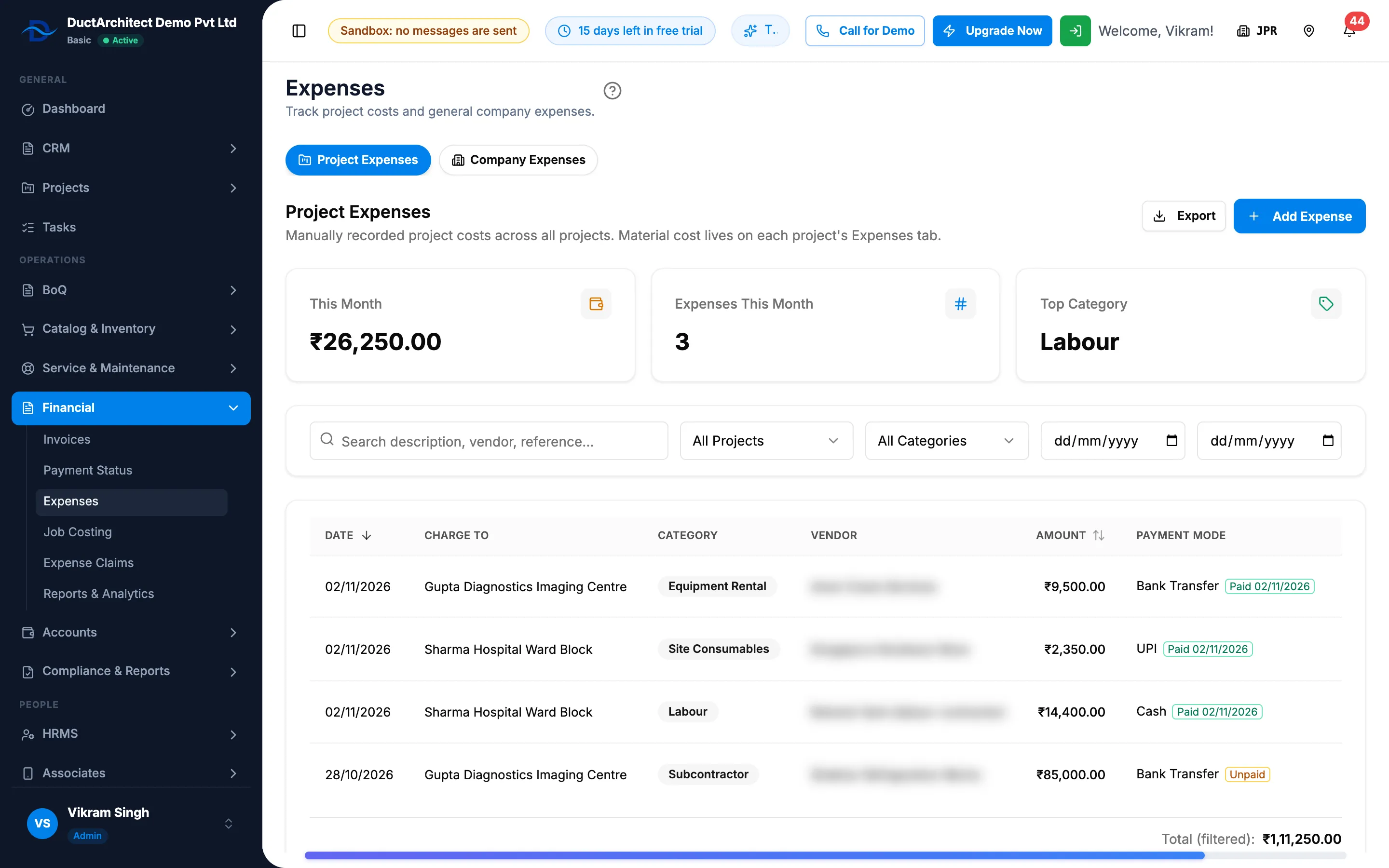
Step 1. The Project Expenses tab with the stat cards, the filters and the list. -
Read This Month, Expenses This Month and Top Category.
-
Search by description, vendor or reference ("Search description, vendor, reference…"), or choose a project (All Projects), a category (All Categories) and the dates (two boxes showing "DD/MM/YYYY").
-
Read Date, Charge to, Category, Vendor, Amount with its payment chip, Payment Mode and Receipt (View receipt). The footer gives "Total (filtered):".
Find company expenses
- Select the Company Expenses tab.
- Read This Month, Expenses This Month, Total (filtered) and Not in accounts.
- Search, or choose a category, In accounts or Not in accounts, a status (Active, Voided or All) and the dates.
- Read Date, Category, Paid From, Paid To, Amount and Receipt.
Export the project expenses
- On Project Expenses, set the filters you want.
- Select Export, then Export Excel or Export PDF. The file is named Project-Expenses.
Result
The tabs show the matching expenses and the filtered total. With filters and no match: "No expenses match these filters."
If something is different
- No export on Company Expenses: that tab has none.
- Voided company expenses are missing: the status filter starts on Active. Choose Voided or All.
- Material cost is not on the list: material is tracked from stock outs, on each job's job costing. See Read a project's job costing.
- An Accounts voucher link opened this page with one row marked: the link points at that company expense.
- No Export: you do not have Can export lists.
- Amounts show Restricted: you do not have Can see purchase costs. See Amounts show Restricted, or invoice and costing buttons are missing.