
Before you start
- You need Edit on Invoices.
- The invoice is a Draft, and its lines, client and dates are right. After issue the branch and the number cannot change.
- Your invoice numbering is set up. See Set document numbering.
- The invoice's branch is active.
Steps
-
Open the draft invoice: on Financial › Invoices, select View Invoice on its row. Or use the row menu on the list.
-
Select Issue invoice. "Issue invoice" asks: "Issue this invoice? It will no longer be a draft."
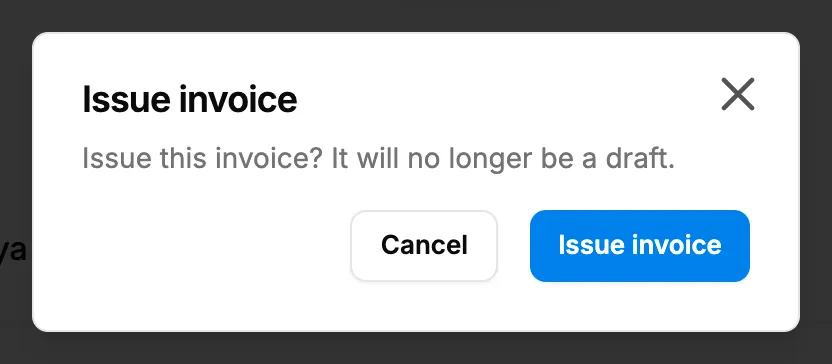
Step 2. The Issue invoice box with its question and buttons. -
Read any line about your accounts under the question. See If something is different, below.
-
Select Issue invoice.
Result
The message "Invoice issued" shows. The invoice is Issued and has its number, on the list and in the page title "Invoice [number]". At that moment:
- the number is taken from your company's series for the invoice's branch and the period of its invoice date;
- the seller details printed on it are frozen: the branch's address, phone, email, GSTIN (or tax registration number) and state;
- the sales voucher is posted to your accounts.
You can also issue by setting Status to Issued on the edit form. Next: Record a payment against an invoice.
If something is different
- No Issue invoice: you need Edit on Invoices, and the invoice must be a draft. See Issue invoice is refused, or Accounts will not post the invoice.
- "Only a draft invoice can be issued.": it is already issued. Refresh the page.
- "This branch is inactive. Choose an active branch before issuing.": edit the draft and choose an active Branch. See Edit, deactivate or activate a branch.
- "Accounts will not post it: it is dated before the posting start date ([date])." or "Accounts will not post it: its date is in a locked financial year.": the invoice is issued, but no voucher is posted. See Issue invoice is refused, or Accounts will not post the invoice.
- The number is not what you expected: the pattern, prefix and reset come from System Settings. See Invoice numbering: tokens and example patterns.
- The wrong seller GSTIN or address is printed: see The invoice shows the wrong branch, address or GSTIN.