
Before you start
- You need no permission. You see and change only your own claims.
- Edit and delete: the claim is a Draft. Withdraw: it is Submitted and still waiting for a decision.
Steps
See your claims
-
In the sidebar, select My Expenses.
-
Read the totals: "Submitted, awaiting approval", "Approved, not yet paid" and "Paid [date] to [date]", one row per currency.
-
To narrow the list, choose a Status (Every status, or one of the five) and the Expense date.
-
Read Claim, Date, Category, Description, Charged to, Amount and Status. A clip marks a claim with a receipt.
-
Select a claim to open it. The sheet shows its number and status, "[employee], [expense date]" under the title, Amount, Expense date, Category, Charged to, Paid by, Description, Receipt (with "Open [file name]" under the preview) and the Timeline.
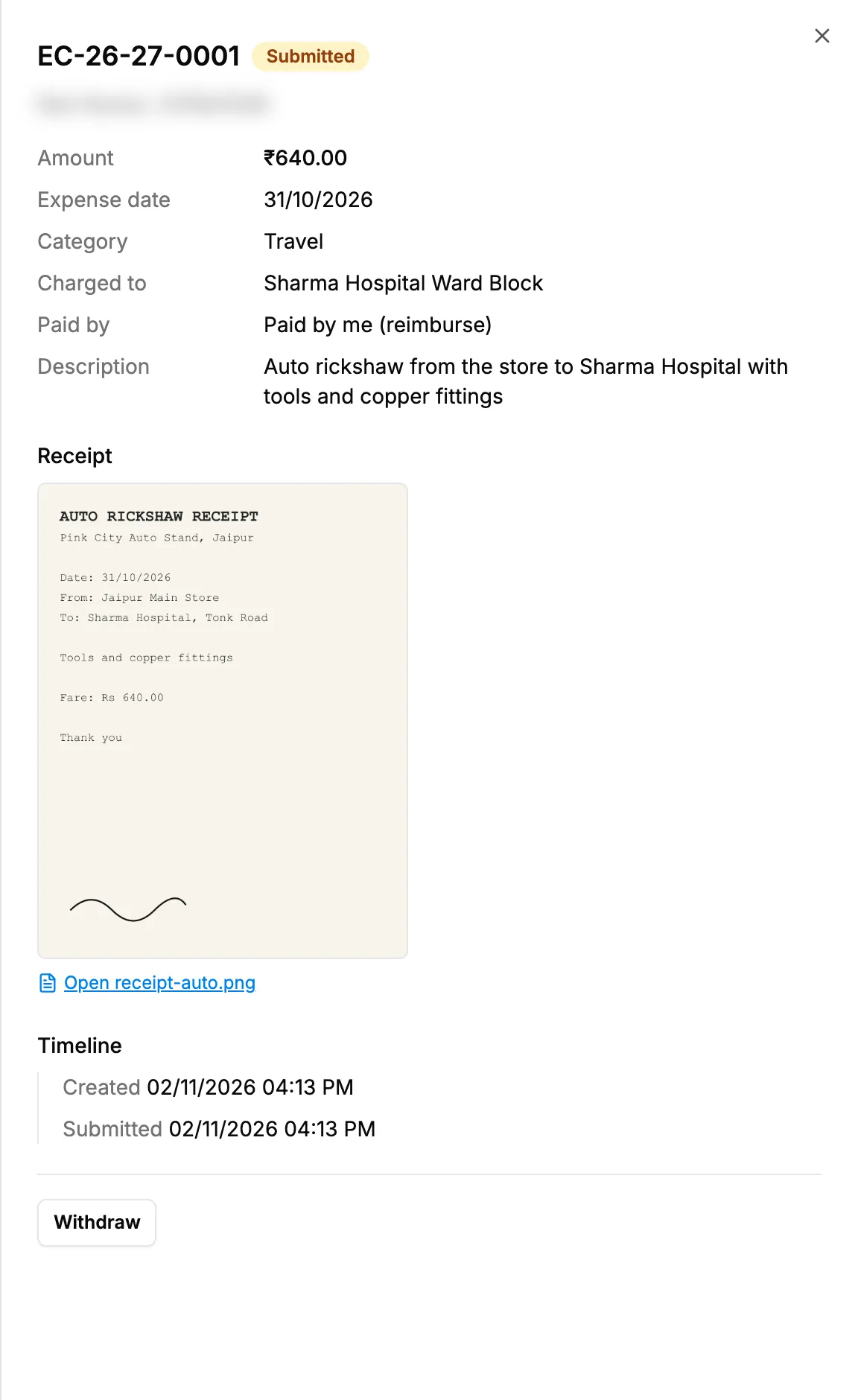
Step 5. A claim's sheet with its status, details and Timeline.
Change a draft
- Open the draft and select Edit. "Edit [claim number]" opens.
- Change what you need, then select Save draft or Submit.
Withdraw a submitted claim
- Open the submitted claim and select Withdraw.
- The claim goes back to Draft. Change it and submit it again, or delete it.
Delete a draft
- Open the draft and select Delete draft. "Delete this draft?" asks: "[claim number] will be removed. This cannot be undone."
- Select Delete.
Result
- See your claims: the Timeline shows "Created", "Submitted", "Approved" or "Rejected" with "Reason: [text]", and "Paid" with "Recorded as a [type] expense in Financial".
- Change a draft: the claim is saved, or submitted if you chose Submit.
- Withdraw: the claim is a Draft again, and its approval request is withdrawn. See Follow your own requests: withdraw or answer a question.
- Delete a draft: the draft leaves the list.
If something is different
- No Edit or Delete draft: the claim is no longer a draft. "Only a draft can be changed."
- No Withdraw, or "Only a submitted claim waiting for a decision can be withdrawn.": it has been decided already.
- The claim is Rejected: the Timeline gives the reason. A rejected claim cannot be opened again. Add a new claim if it should be paid.
- "No claims yet. Add an expense to start.": you have none. See Add and submit an expense claim.
- No export: My Expenses has none.