
Before you start
- You need View on Approvals and one of Inventory Management, Project Management, Operation Management or Employee Expenses.
- The Approvals module is on for your company.
- You raised the request. Withdraw and comments work only while it is Pending.
Steps
See your requests
-
In the sidebar, select Approvals.
-
Select the My requests tab. It lists every request you raised. The status filter starts on Any status.
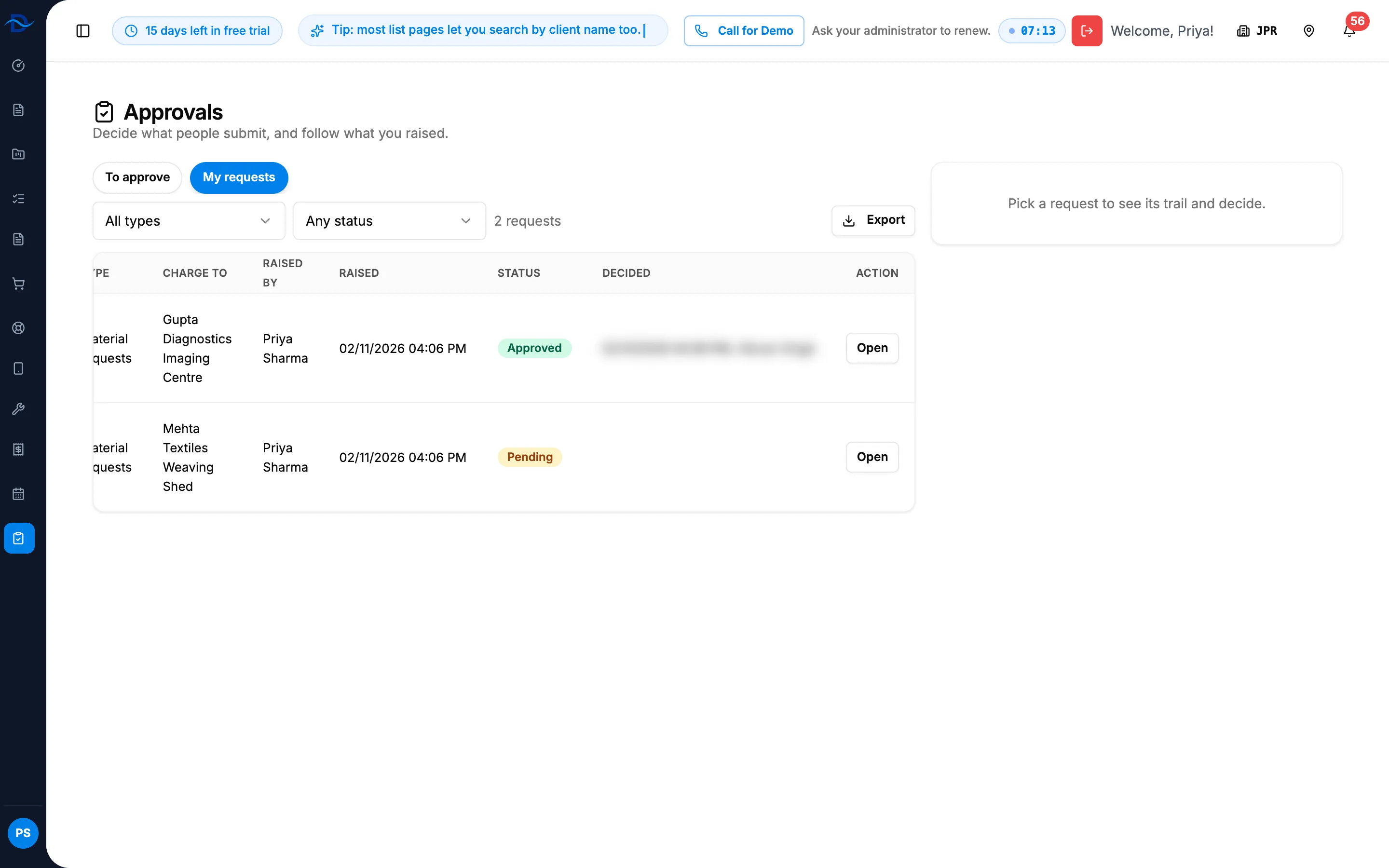
Step 2. The My requests tab with the type and status filters and a pending request. -
On the request's row, select Open. Its Approval card shows the status, the steps, the trail and the comments.
The same card is on the material request's own page.
Answer a question
- Open the request.
- Under Comments ("Ask for clarification, or answer one"), type your answer.
- Select Add. The message "Comment added" shows, and the approvers are told.
Withdraw a request
- Open the request.
- Select Withdraw. There is no confirmation box.
Result
Withdraw: the message "Request withdrawn" shows. The approval request is Withdrawn and leaves the approvers' lists. A material request goes back to Draft: change it, then submit it again, which opens a new approval request. The withdrawn one stays in the request's history. See Edit a draft material request and Submit a material request for approval.
Comment: your answer is in Comments, and the approvers are told.
When a decision is made, you are told. My requests then shows the status and, in Decided, the date and time and who decided. See Manage your notifications.
If something is different
- "You have raised no requests.": nothing you submitted has gone for approval yet.
- No Withdraw button, or "Only the person who raised the request can withdraw it.": someone else raised it.
- "Only a pending request can be withdrawn.": it has been decided. An approved material request can be cancelled while nothing is issued or ordered. See Cancel or delete a material request.
- "This request has been decided; it takes no more comments.": comments close with the decision.
- The approver wants changes: there is no send back. Withdraw it, change it and submit it again.