
Before you start
- You need Edit on Material requests.
- The request is a Draft. A submitted request goes back to Draft when the person who raised it withdraws it. See Follow your own requests: withdraw or answer a question.
Steps
-
Open the request. See Find, open and export material requests.
-
In the row of buttons under the description line, select Edit. "Edit material request" opens.
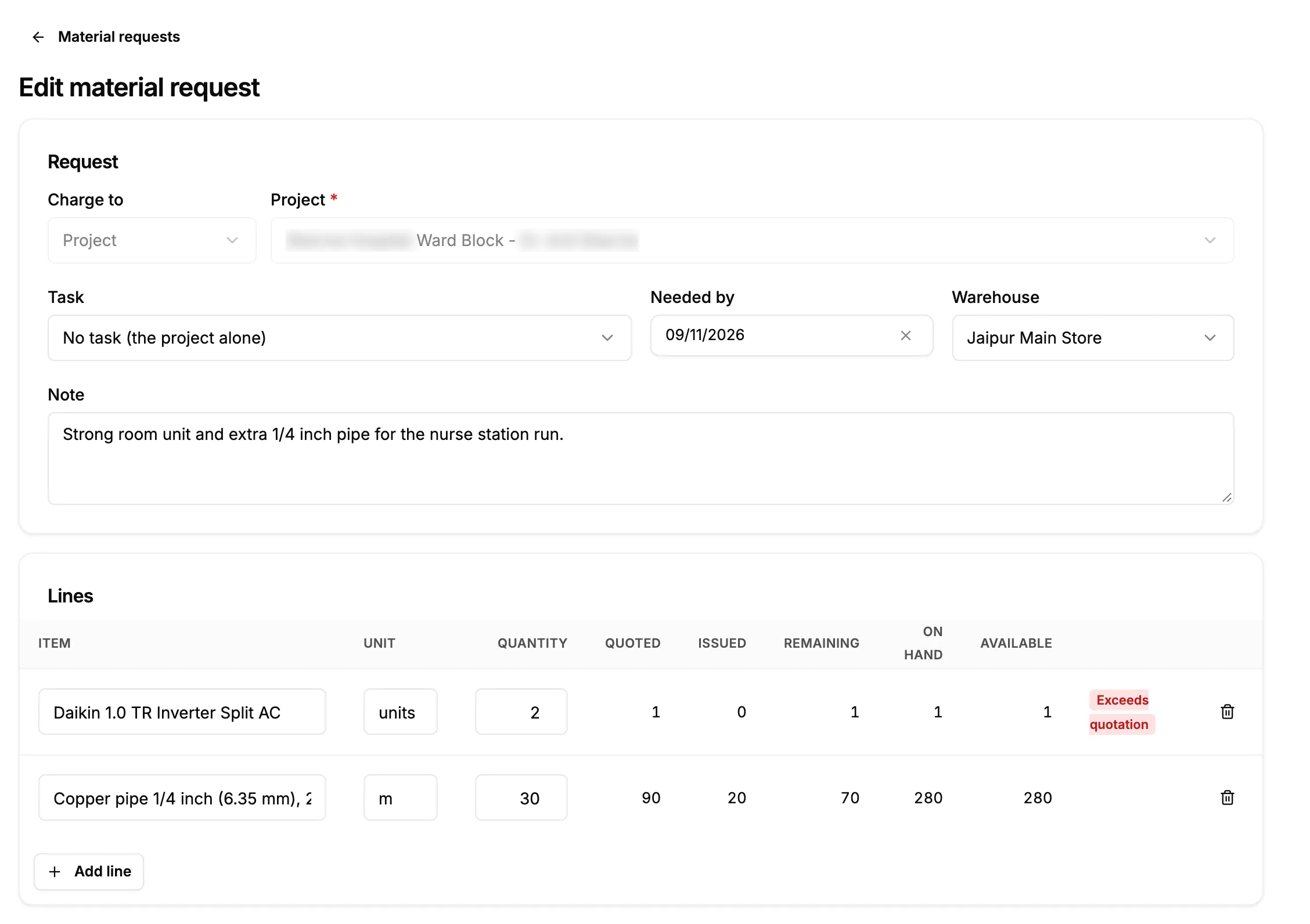
Step 2. Edit material request with Charge to locked and the lines below. -
Change what you need in the Request card: the project's to-do (Task), Needed by, Warehouse or Note. Charge to cannot be changed.
-
Under Lines, change an item or a Quantity, select Add line for a new item, or Remove line to drop one.
-
Select Save draft. To leave without saving, select Cancel.
Result
The message "Material request saved" shows, and the request's page opens. The request is still a Draft with the new lines.
Next: Submit a material request for approval.
If something is different
- No Edit button: you do not have Edit on Material requests, or the request is not a draft.
- "Only a draft can be edited" and the request's page opens again: the request was submitted, decided or cancelled. See A material request cannot be edited or submitted.
- "What a request is charged to cannot change; raise a new request.": to charge it to another project, contract or visit, cancel this request and raise a new one. See Cancel or delete a material request.
- The request is refused on save: see A material request cannot be saved.