
Before you start
- You need Financial Management, Add on Payments and Can see selling prices.
- The invoice is issued and not yet paid: Issued, Overdue or Partially Paid. It is not a draft and not cancelled.
- Have the payment proof ready if you want to attach it: a PDF or image, up to 5 MB.
Steps
-
On Financial › Invoices, open the row menu of the invoice and select Mark as Paid. Or select Mark as Paid on the invoice's page. "Mark Invoice as Paid" opens: "Record payment details for invoice [number]. The received amount will be automatically set to the full invoice total ([total])."
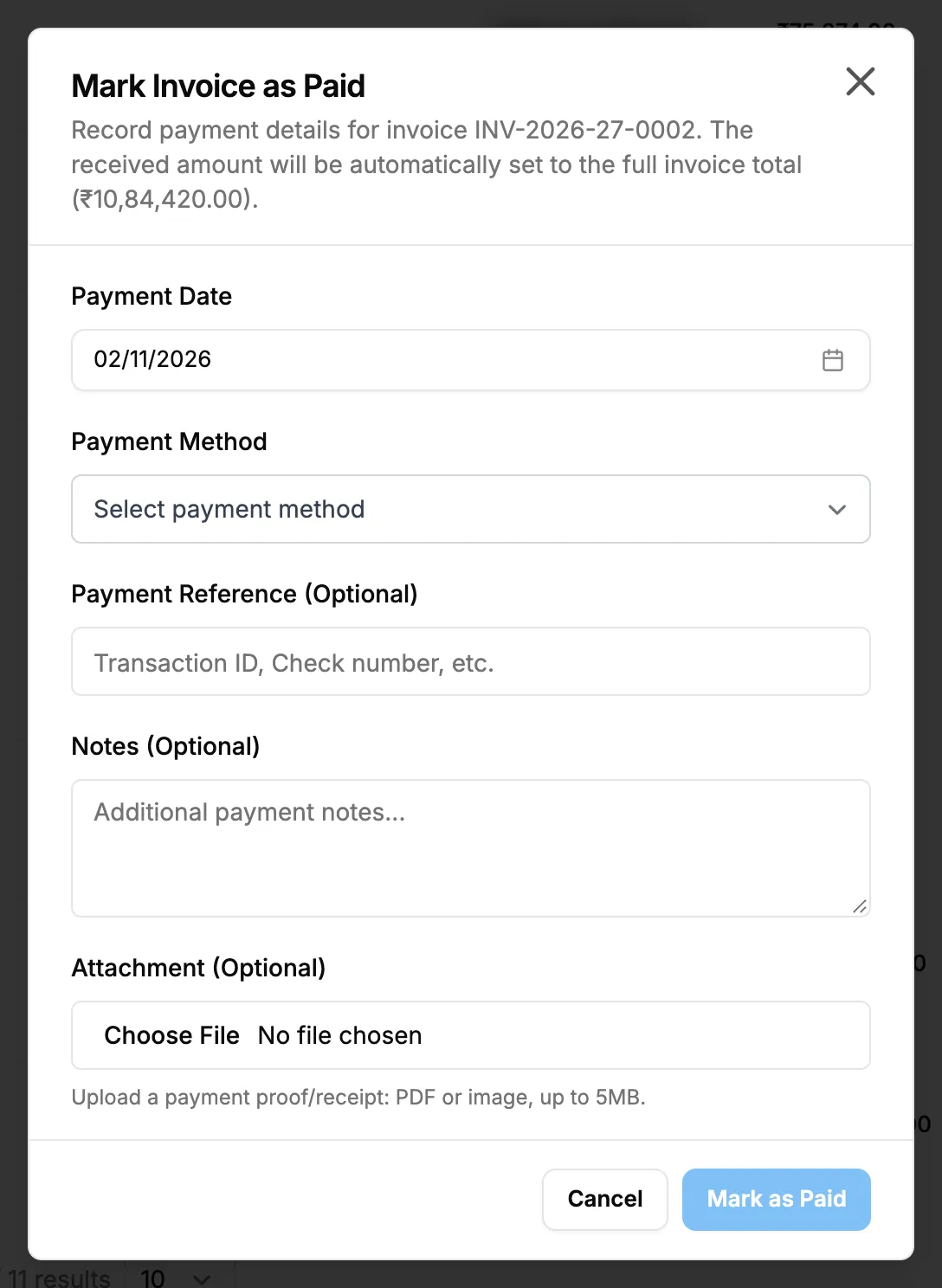
Step 1. The Mark Invoice as Paid box with the payment fields. -
Fill in the payment:
Field Required What to enter Payment Date Yes A date. Starts on today and cannot be in the future. Payment Method Yes Bank Transfer, Check, Cash, Credit Card, Online Payment or Other. Mark as Paid stays greyed out until you choose one. Payment Reference (Optional) No Transaction ID, cheque number and the like. Notes (Optional) No Additional payment notes. Attachment (Optional) No The payment proof or receipt: PDF, JPEG or PNG, up to 5 MB. -
Select Mark as Paid. It reads "Marking as Paid..." while it saves.
Result
The message "Invoice marked as paid successfully. Received amount set to full total." shows. One payment for the remaining balance is recorded, and the invoice is Paid. Remaining Amount: reads 0. A receipt voucher is posted to your accounts. A paid invoice can no longer be edited or cancelled.
If something is different
- No Mark as Paid: you need Add on Payments and Can see selling prices, and the invoice is not paid or cancelled. See A payment cannot be recorded on an invoice.
- "Issue the invoice before recording a payment.": the invoice is a draft. Issue it first. See Issue an invoice.
- "A cancelled invoice cannot be marked as paid.": the invoice is cancelled.
- "Payment date cannot be in the future": choose today or an earlier date.
- "Attachment exceeds the 5MB limit" or "Attachment must be a PDF, JPEG or PNG file": attach a smaller file of one of those types.
- "Reference number contains invalid characters": change the reference and try again.
- The client paid only part: record that amount instead. See Record a payment against an invoice.
- Marked paid by mistake: delete the payment. The invoice goes back to Issued or Overdue. See Edit or delete a payment.