
Before you start
- To change the date format, you need User Management.
- To change how amounts are displayed, you need User Management, Financial Management or Operation Management, and the Owner, Admin or Manager role. Currency Settings has no menu item. You open it by its address.
- To change the financial year start month, you are the Owner or Admin, with User Management, and no invoice has been issued in the current financial year.
Steps
Change the date format
- Select your name at the bottom of the sidebar.
- Select System Settings.
- Under System Preferences, choose a Date Format: MM/DD/YYYY, DD/MM/YYYY, YYYY-MM-DD, DD.MM.YYYY or YYYY/MM/DD. The "Preview:" line shows today in that format.
- Select Save Changes.
Change how amounts are displayed
-
In your browser's address bar, after the DuctArchitect address you use, replace the rest with /settings/currency and press Enter. "Currency Settings" opens.
-
Change the display fields.
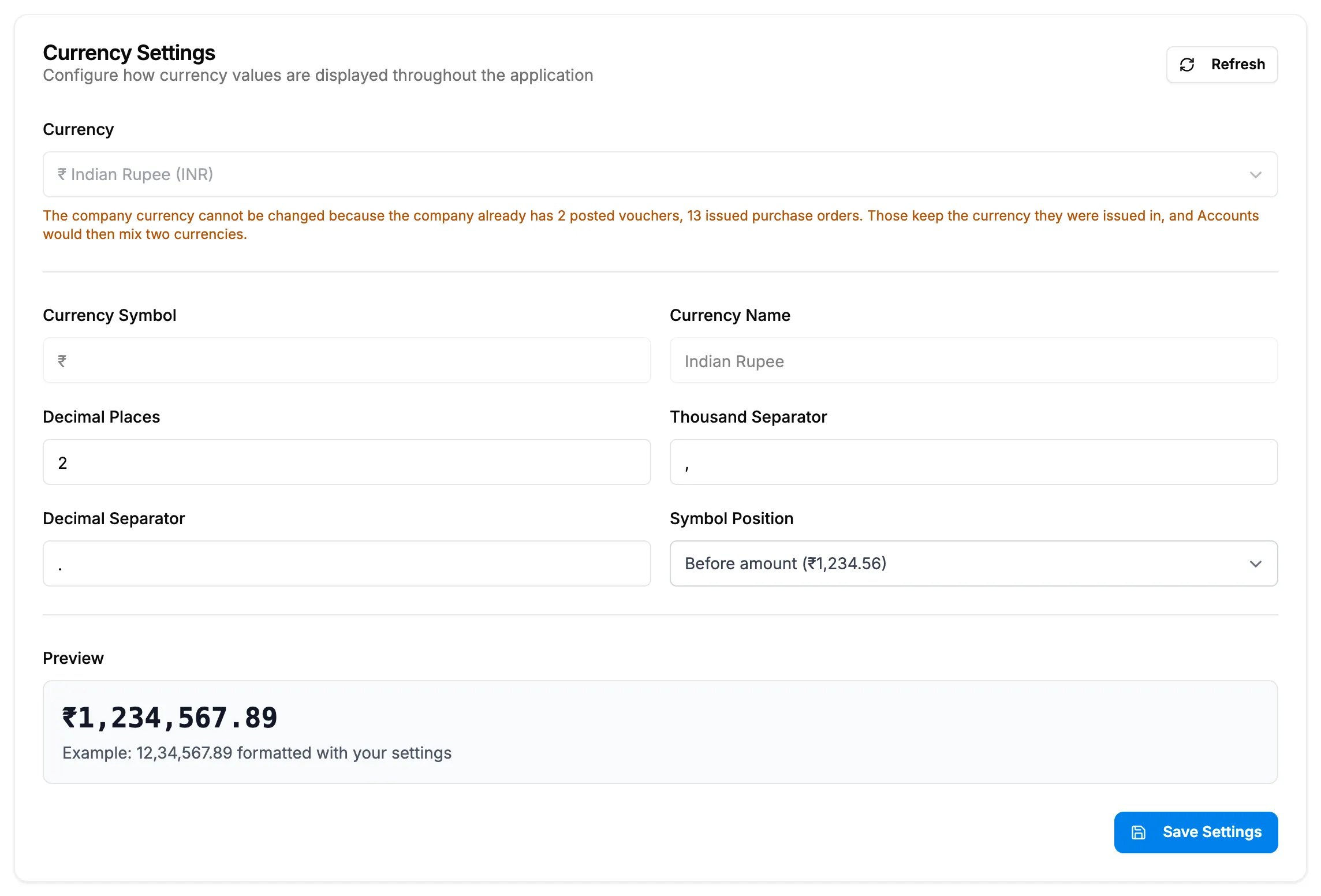
Step 2. Currency Settings with the Preview box. Field Required What to enter Currency No The company currency. Greyed out once documents exist. Currency Symbol No Not editable. Comes from the currency. Currency Name No Not editable. Comes from the currency. Decimal Places No 0 to 4. Thousand Separator No One character, for example a comma. Decimal Separator No One character, for example a full stop. Symbol Position No Before amount or After amount. -
Check the Preview box.
-
Select Save Settings.
Change the financial year start month
- Select your name at the bottom of the sidebar.
- Select System Settings.
- Under Invoice Numbering, choose the month in Financial year starts. For most Indian companies it is April.
- Select Save Changes.
Result
Change the date format: the message "System settings saved" shows. Dates use the new format.
Change how amounts are displayed: the message "Currency settings updated successfully" shows. Amounts across DuctArchitect use the new format.
Change the financial year start month: the message "System settings saved" shows. The month is "Used for invoice numbering ({FY} tokens & yearly reset) and financial reports."
If something is different
- You have Operation Management but not User Management: on System Settings you can change the field but saving fails. Ask your Owner or Admin.
- "Insufficient permissions to update currency settings": your role is not Owner, Admin or Manager.
- "No changes to save.": the format was already set.
- You cannot find Currency Settings in a menu: see I can't find Currency Settings in any menu.
- "Failed to load currency settings": select Refresh.
- Financial year starts is greyed out with "Locked:": invoices already exist in the current financial year. See A settings field is locked.