
Before you start
- You need Inventory Management and Edit on Stock outs.
- The signed copy is a JPEG, PNG or PDF file of 5 MB or less.
- The delivery challan is generated. Before that, the Delivery Challan block offers only Generate Delivery Challan; Upload signed copy shows after generation. See Generate, download or edit a delivery challan.
Steps
Upload a signed copy
-
In the sidebar, select Catalog & Inventory › Stock Out.
-
On the stock out's row, select View Details.
-
In the Delivery Challan block, select Upload signed copy. The box says "JPEG, PNG or PDF, up to 5 MB. The site receipt details are saved with it."
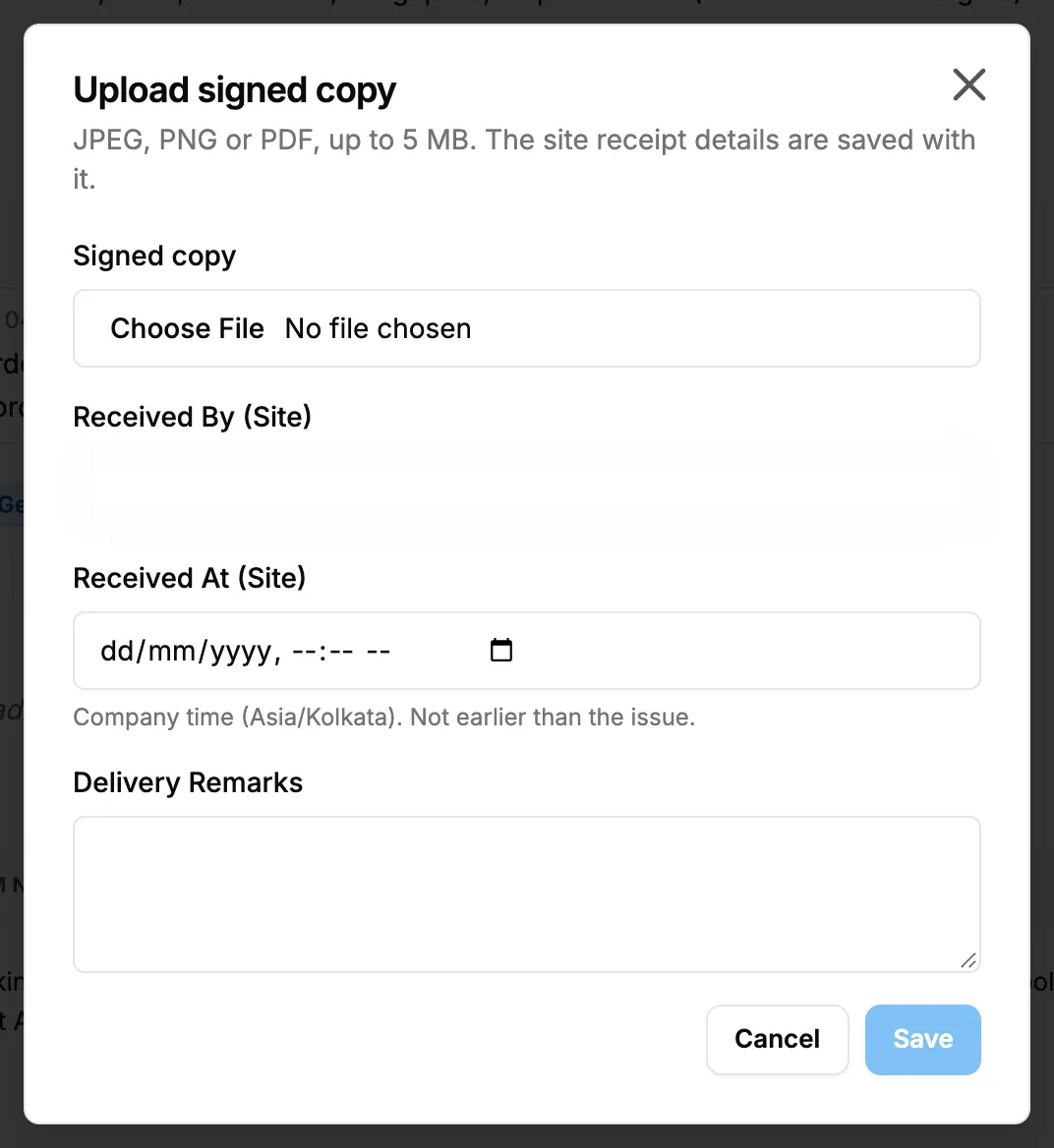
Step 3. The Upload signed copy box with Signed copy, Received By (Site) and Received At (Site). -
In Signed copy, choose the file.
-
Fill in Received By (Site), Received At (Site) and Delivery Remarks. Received At (Site) is a date and time in company time ("Company time ([zone]). Not earlier than the issue.").
-
Select Save. It stays greyed out until you choose a file.
Delete a signed copy
- In the signed copies list of the Delivery Challan block, select delete on the file. The box asks "Delete signed copy?": "[file] will be removed from this stock-out."
- Confirm.
Result
Upload a signed copy: "Signed copy uploaded" shows. The file is in the signed copies list, and the block shows Delivered: "Delivered: a signed copy is uploaded."
Delete a signed copy: "Signed copy deleted" shows. When no signed copy is left and Received At (Site) is empty, the challan goes back to Generated.
If something is different
- "Choose the signed copy to upload": choose a file first.
- "The file is larger than 5 MB": use a smaller file.
- Delivered without a signed copy: "Delivered: Received At (Site) is recorded ([value]). No signed copy is uploaded yet." The site time was recorded in the transport details.
- "No signed copy uploaded": the list is empty.
- No Upload signed copy: you do not have Edit on Stock outs.