
Before you start
- You need Purchase Orders, Can see purchase costs and View on Suppliers. To export, Can export lists.
Steps
-
In the sidebar, select Catalog & Inventory › Payables. "What is owed to each supplier, from goods received, returns and payments. All amounts include tax."
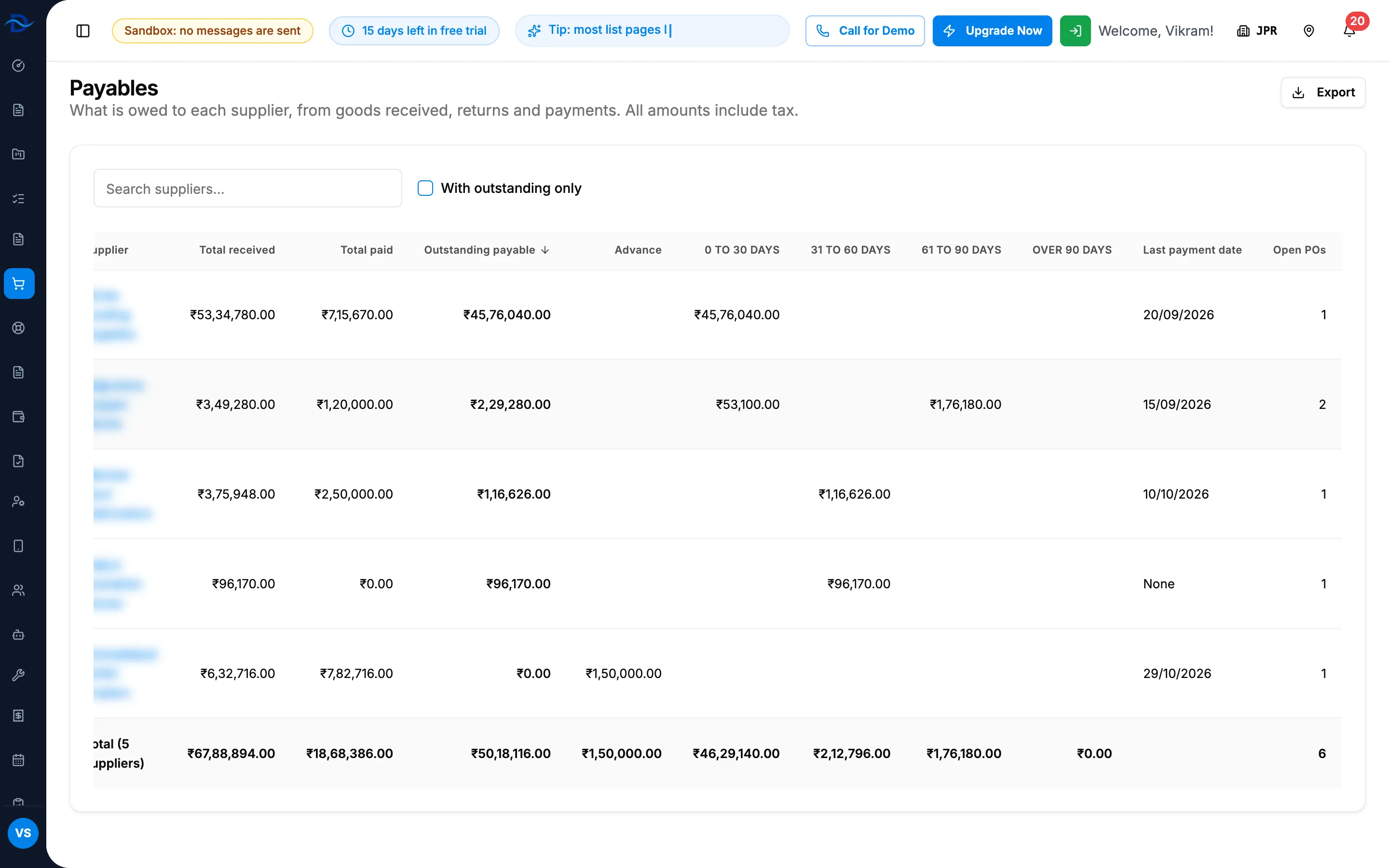
Step 1. Payables with Outstanding payable, Advance and the four ageing columns. -
Search with "Search suppliers...". Tick With outstanding only to hide suppliers you owe nothing.
-
Read each row: Total received, Total paid, Outstanding payable, Advance, the ageing columns 0 to 30 days, 31 to 60 days, 61 to 90 days and Over 90 days, Last payment date ("None" when nothing was paid) and Open POs. The list starts with the highest outstanding; select a header to sort.
-
Read the totals row, "Total ([number] supplier(s))".
-
To see one supplier's documents, select its row. Its Ledger tab opens. See Read a supplier's ledger.
-
To download the list with its totals, select Export, then the format.
Result
You see what you owe each supplier today and how old it is. The ageing counts days from each receipt. 50 suppliers show per page; use Previous and Next.
If something is different
- "You do not have access to supplier amounts." in place of the table: you have Purchase Orders but not Can see purchase costs. See Purchase amounts show Restricted or are refused.
- Selecting a row opens Access Denied: the supplier page also needs View on Suppliers.
- "No supplier has purchase orders yet.", or "No supplier matches the search or filter.": change the search or untick With outstanding only.
- "[number] order(s) in another currency is/are not included": those orders are left out.
- "Failed to load payables": reload the page.