
Before you start
- You need Purchase Orders and Can see purchase costs, with Add on Purchase orders for a new order or Edit for an existing one.
- An existing order is Draft, Sent or Partially Delivered. See Edit a purchase order.
Steps
-
Open the order: Add Purchase Order for a new one (see Create a purchase order), or Edit Order in the row menu.
-
Under Additional Charges, select Add charge.
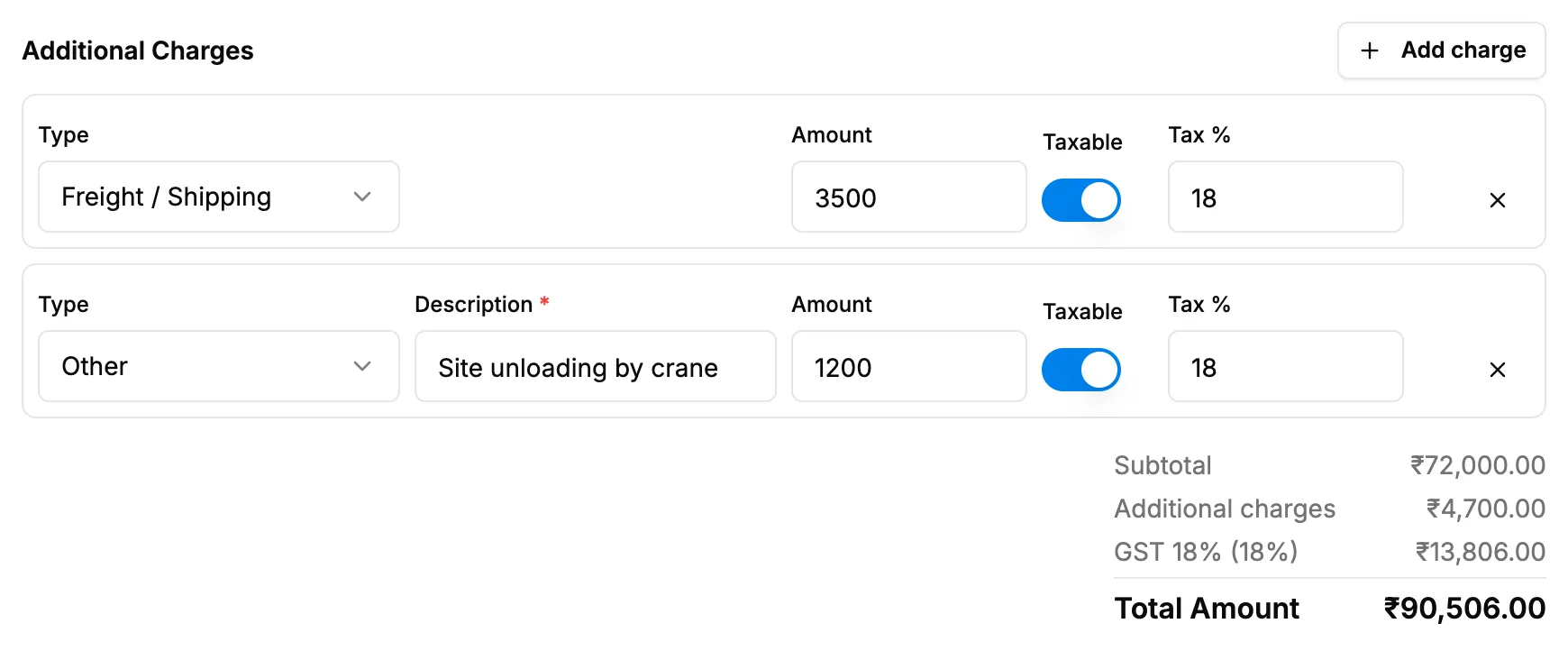
Step 2. The Additional Charges section with Type, Amount, Taxable and Tax %. -
Fill in the charge:
Field Required What to enter Type Yes Freight / Shipping, Packing & Forwarding, Insurance, Loading / Unloading or Other. Starts on the first type not yet used. Description Yes Only for Other: what the charge is for, up to 191 characters. Amount Yes 0 or more. Taxable No On by default. Turn it off for a charge without tax. Tax % Yes Only when Taxable is on. 0 to 100. Starts on the default tax slab's rate. -
For another charge, select Add charge again. To take one off, select Remove charge.
-
Check the totals: Additional charges now shows under Subtotal, and its tax is in the tax rows.
-
Save the order: Save as Draft or Save & Send on a new order, Update Purchase Order on an existing one.
Result
The charges are part of the order's Total Amount on the list, in View Details (an Additional Charges table with Charge, Description, Amount and Tax %, "Not taxable" for a charge without tax), on the PDF and in the email.
The supplier ledger counts the charges as payable in full on the order's first receipt, in a Charges row. See How what you owe a supplier is worked out.
If something is different
- "[Type] can be added once per purchase order.": each type is used once, except Other. Add a second freight amount to the first, or use Other.
- "Enter a description for the Other charge.", "Enter an amount for every charge.", "Choose a type for every charge.", "Enter the tax % for a taxable charge.": fill in the field named.
- "A purchase order can have up to 20 charges.": combine some charges.
- The charges are not in the accounts: "Not yet posted to accounts". Additional charges are not posted to the accounts yet; receipts post the goods only.
- "The supplier has an older copy. Resend the purchase order to update it." after saving: the order was emailed before. See Email a purchase order to the supplier.