
Before you start
- You need Operation Management. To change the defaults, your role is Owner, Admin or Manager, and you have Can see profit and margin.
Steps
Set the BoQ defaults
-
Open Settings and select the card BoQ Settings: "Default markup, rate structure, and standards-based takeoff rules. →".
-
Set Default markup %: "Applied to lines with no per-line markup."
-
Choose the Default rate structure: Supply + Labour (India/GCC) or Single rate (UK/US). "New BoQs start with this; changeable per BoQ."
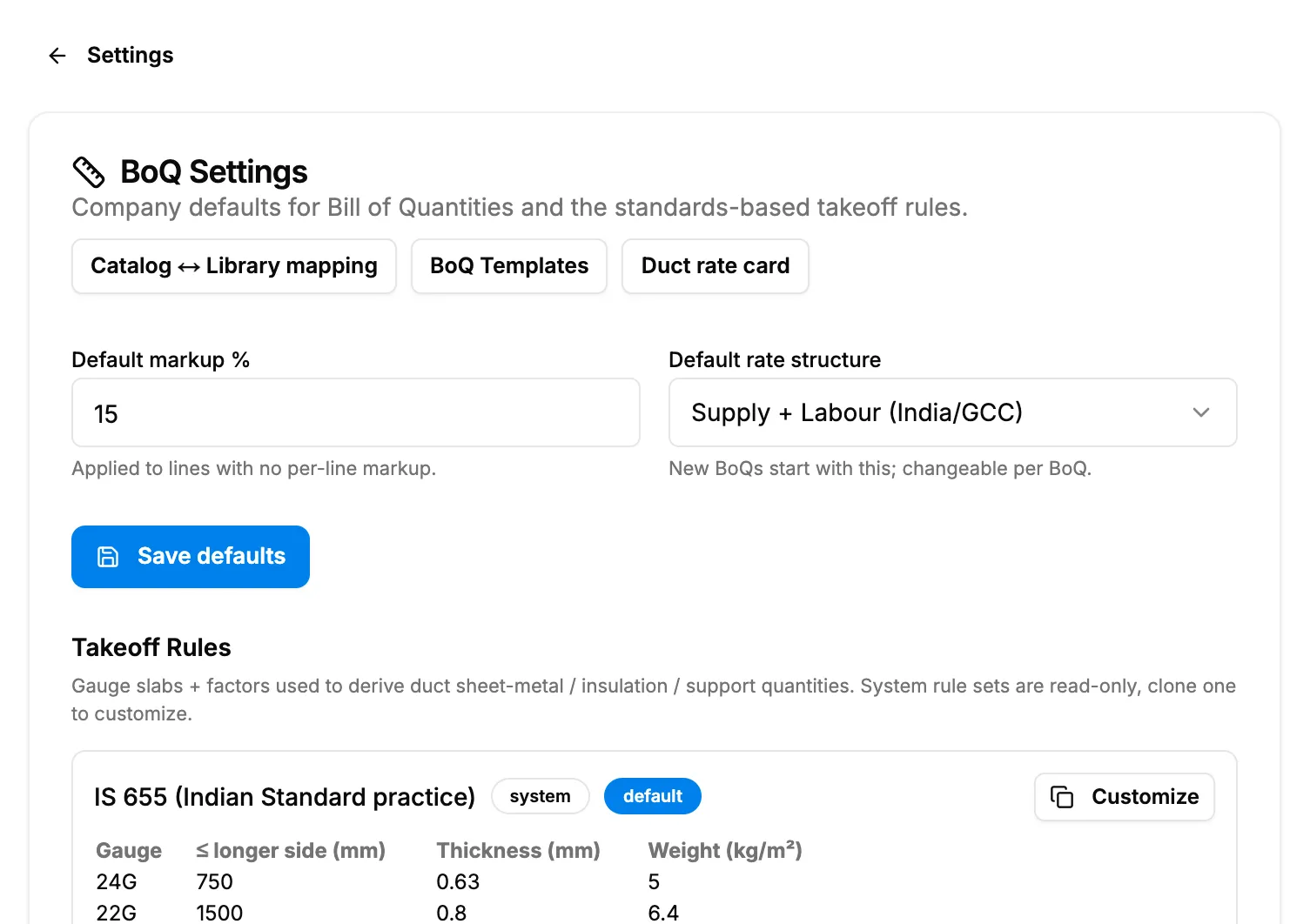
Step 3. BoQ Settings with Default markup % and Default rate structure. -
Select Save defaults.
Edit a takeoff rule set
- Under Takeoff Rules, find the rule set. Each shows the badges system, company or default, a gauge table, and "Wastage [number]% · insulation ×[number] · supports [number] kg/m²".
- To change a system rule set, select Customize on it first: "System rule sets are read-only, clone one to customize."
- In a company rule set, change the name, Wastage %, Insulation factor, Supports kg/m² and the gauge rows (Gauge, ≤ longer side (mm): blank = ∞, Thickness (mm), Weight (kg/m²); Add row), and save.
Result
Set the BoQ defaults: the message "BoQ defaults saved" shows. New BoQs start with them.
Edit a takeoff rule set: the message "Rule set saved" shows. Cloning shows "Cloned "[name]" into an editable company rule set".
If something is different
- "You cannot change markup or margin settings.": you do not have Can see profit and margin. See Restrict what a role can see and export.
- Deleting a rule set: your browser asks "Delete "[name]"? This cannot be undone." The message "Rule set deleted" shows.
- Templates: BoQ Templates on this page opens the template list. See Create and manage BoQ templates.