
Before you start
- To duplicate, you need Add on Quotations. To delete, Delete on Quotations.
- You can see selling prices: without them the row menu offers only View Details.
- An accepted quotation cannot be deleted.
Steps
Duplicate a quotation
- In CRM › Quotations, open the quotation's row menu and select Duplicate.
Delete a quotation
-
In CRM › Quotations, open the quotation's row menu and select Delete.
-
The box "Delete Quotation" asks "Are you sure you want to delete quotation [number]? It will be removed from all lists; the record and its number are kept."
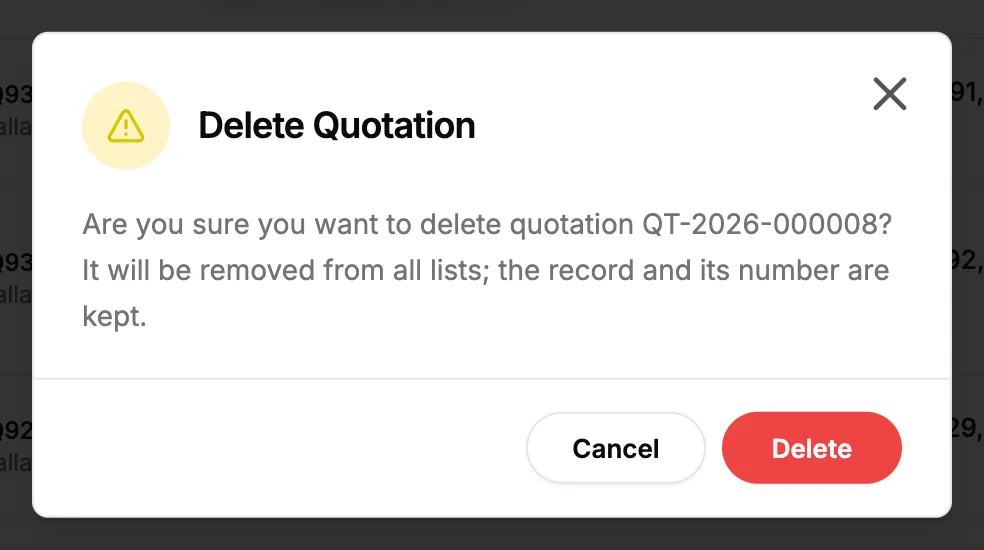
Step 2. The Delete Quotation box. -
Select Delete.
Result
Duplicate a quotation: the message "Quotation duplicated as [number]" shows. The copy is a Draft dated today, valid for the same span as the original. It is not linked to the original's BoQ.
Delete a quotation: the message "Quotation deleted successfully" shows and it leaves every list. Its number is kept. An Owner or Admin can restore it. See Recycle bin: restore records and set retention.
If something is different
- "An accepted quotation cannot be deleted. Supersede it with a new quotation instead.": see Supersede an accepted quotation.
- No Duplicate or Delete on the quotation's page: both are only on the list's row menu.
- "Failed to duplicate quotation" or "Failed to delete quotation": try again.