
Before you start
- You need Accounts Management. To export, you also need Can export lists.
- To create a ledger, your company's plan is active, and the account head exists and is active. See Add, edit or delete an account head.
Steps
Create a ledger
-
In the sidebar, select Accounts › Ledgers. The page reads "Manage your account ledgers and transactions." The Available Heads card counts the active heads that have no ledger yet.
-
Select Create Ledger. "Create Ledger" opens: "Create a ledger from an account head. Each account head can have only one ledger."
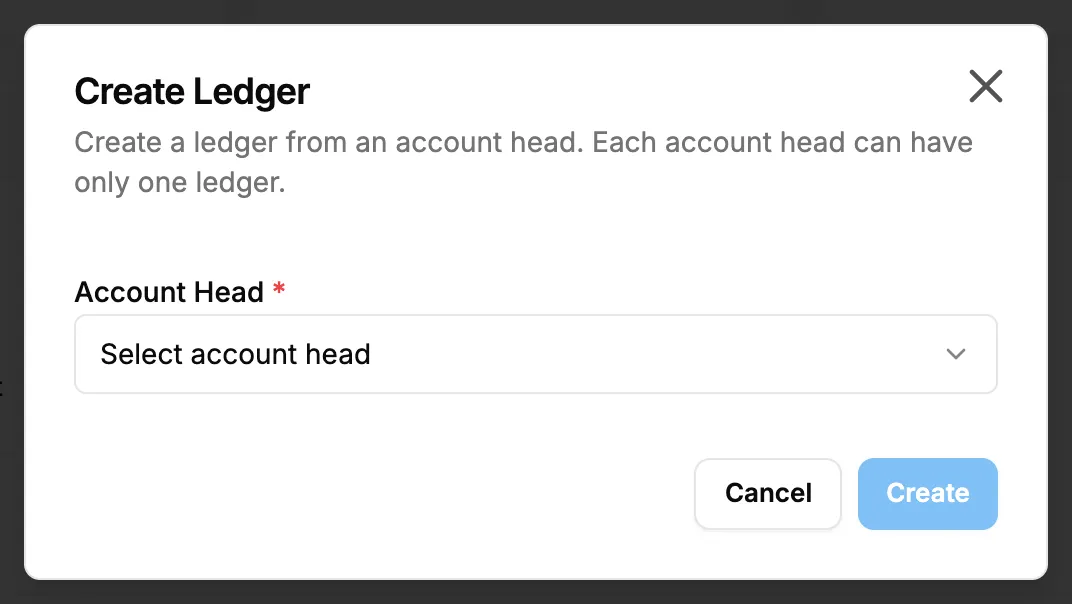
Step 2. The Create Ledger box with the Account Head picker. -
In Account Head, choose the head. Only active heads with no ledger are listed.
-
Select Create.
Find a ledger
- Type in Search ledgers... and select Search, or press Enter.
- To narrow the list, choose Active or Inactive in the status filter.
- To see a ledger's entries, select Statement on its row. See Read an account statement.
Export the list
- Select Export, then Export Excel or Export PDF.
The file holds the ledgers your search and filter match: Account Head, Group, Opening Balance, Opening Side, Current Balance, Balance Side and Status.
Result
- Create: the message "Ledger created successfully" shows. The ledger is on the list with its Account Head, Group, Opening Balance and Current Balance (green at 0 or above, red below), and "Active".
- The opening balance comes from the account head. To change it, edit the head.
If something is different
- "All account heads already have ledgers. Create a new account head first.": every active head has a ledger. Add a head first.
- "Ledger already exists for this account head": that head has its ledger already.
- "Some entries are not included": some voucher entries point at deleted accounts and are left out of the balances. See A statement or report leaves out vouchers, or says Not Balanced.
- The cards change while you type: the list filters as you type, before Search is pressed. Select Search for the full result.
- A ledger shows Inactive: no screen makes a ledger active or inactive.
- No Export, or the export is refused: you need Can export lists. See Restrict what a role can see and export.
- A plan box opens on Create Ledger: see Every page sends me to Plans & Pricing.