
Before you start
- You need Accounts Management. To add, your company's plan is active and within its Accounts limit.
- GST rates for invoices are tax slabs, set in Settings, not here. See Tax slabs: add, edit, set default, delete.
Steps
Add a master
-
In the sidebar, select Compliance & Reports › Statutory Masters. The page reads "Manage GST Registration and GST Classification".
-
Select Add Master. "Create Statutory Master" opens: "Add a new statutory master".
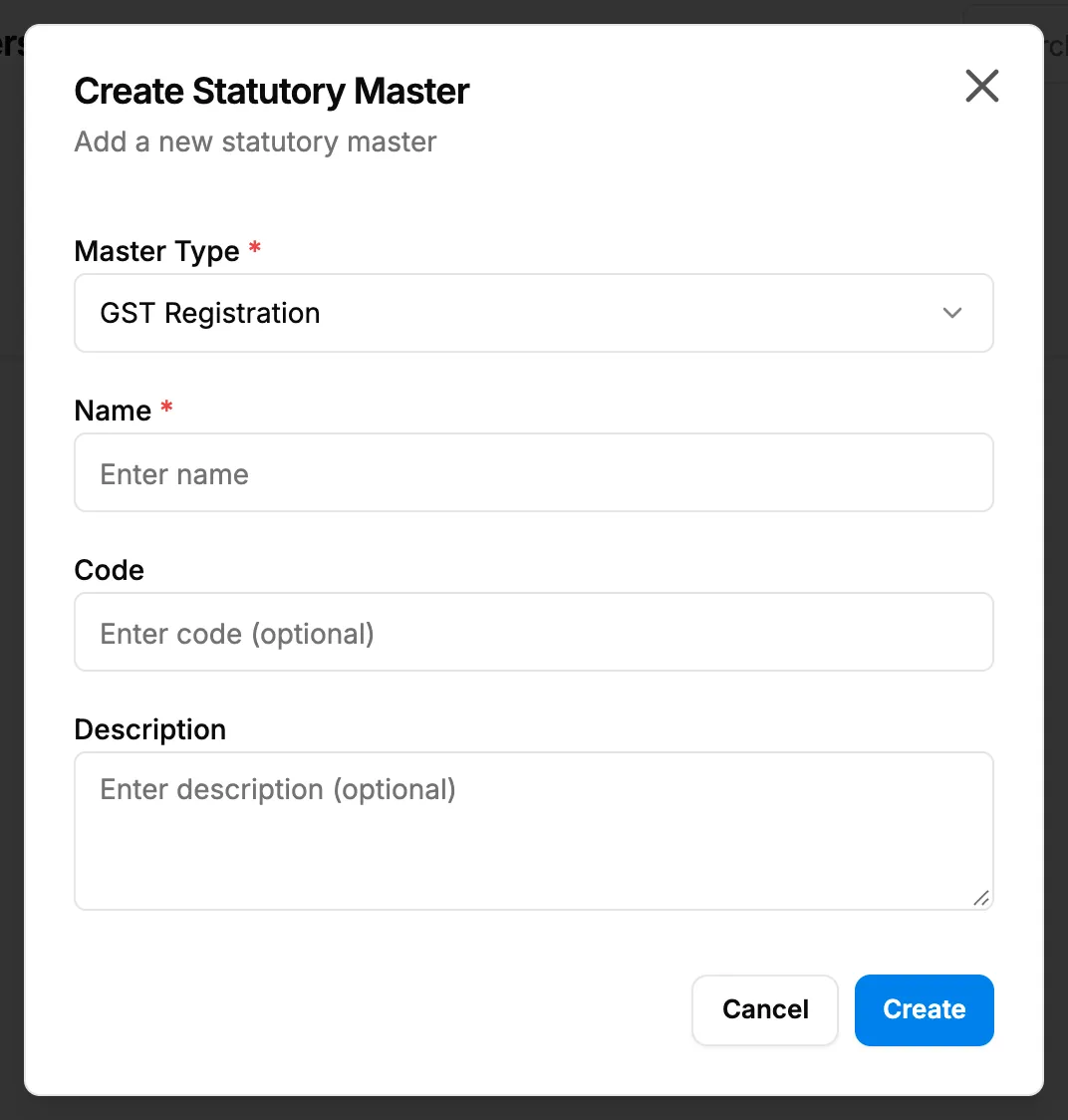
Step 2. The Create Statutory Master box with Master Type, Name, Code and Description. -
Fill in the master:
Field Required What to enter Master Type Yes GST Registration or GST Classification. Starts on GST Registration. Name Yes The name. Code No A code. Description No A description. -
Select Create. To stop, select Cancel.
Find, edit or delete a master
- To narrow the list, type in Search masters... or choose a type: All Types, GST Registration or GST Classification.
- To edit, select edit on the row, change the fields and select Update. Master Type cannot be changed.
- To delete, select delete on the row. "Delete Statutory Master" asks: "Are you sure you want to delete "[name]"? It will be removed from the list; the record is kept." Select Delete.
Result
- Add: the message "Statutory master created successfully" shows. The master is listed with Type, Name, Code, Description and "Active".
- Edit: "Statutory master updated successfully".
- Delete: "Statutory master deleted successfully".
If something is different
- A master shows Inactive: no screen makes a master active or inactive.
- "No statutory masters found": nothing matches the search or type, or there are none yet.
- The masters are not offered on invoices or anywhere else: they are a list for your records. See Statutory details and payroll voucher types are not used on invoices or payroll.
- A plan box opens on Add Master: see Every page sends me to Plans & Pricing.