
Before you start
- You need Accounts Management. Your company's plan is active. To export, also Can export lists.
- For the bank book, the bank account exists. See Add, edit or delete a bank account.
Steps
-
In the sidebar, select Compliance & Reports › Reports. The page reads "Generate and view various accounting reports." Use Search reports... to find a card.
-
Select the report's card. A box with the report's name opens.
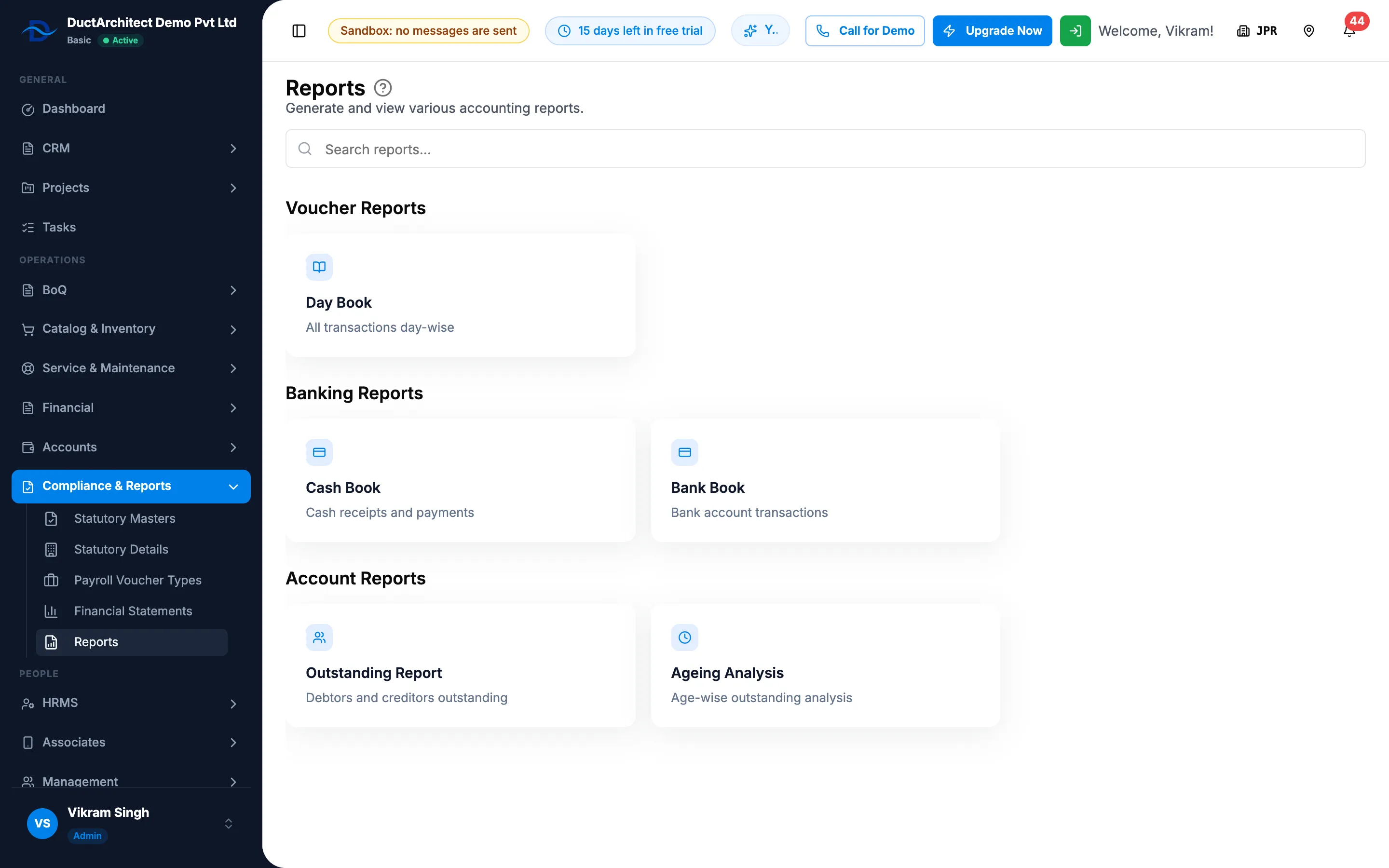
Step 2. The Reports page with the Voucher, Banking and Account report cards. -
Fill in what the report asks for:
- Day Book, Cash Book: From Date and To Date. Left empty, today is used.
- Bank Book: Bank Account, then From Date and To Date.
- Outstanding Report: Type: All, Debtors or Creditors.
- Ageing Analysis: Type: Debtors or Creditors, and As On Date.
-
Select Generate Report.
-
Read the report:
Report What it shows Day Book ("All transactions day-wise") Total Vouchers, Total Debit, Total Credit, then each day's vouchers as "[number] - [type] - [narration]", with Auto and the source link. It lists every voucher that is not deleted; a draft or cancelled voucher shows its status. Cash Book ("Cash receipts and payments") Opening Balance, Total Receipts, Total Payments, Closing Balance, and Date, Voucher, Receipt, Payment, Balance. Bank Book ("Bank account transactions") Opening Balance, Total Deposits, Total Withdrawals, Closing Balance, and Date, Description, Reference, Deposit, Withdrawal, Balance. "Bank entries not in the books" lists bank lines with no voucher, and why. Outstanding Report ("Debtors and creditors outstanding") Total Debtors, Total Creditors, Net Outstanding, Advances from customers, Advances to suppliers, and the Debtors and Creditors lists. Ageing Analysis ("Age-wise outstanding analysis") Each party's Outstanding, Before start date, Current, 31 to 60 days, 61 to 90 days, Over 90 days and Advance. -
To save the day book or the ageing analysis, select Export. A CSV file downloads.
Result
"Report generated successfully" shows. Every report except the day book counts approved vouchers only.
In the ageing analysis, "Before start date is the opening balance posted when automatic posting began. It is what was unpaid on that date and is not aged by invoice." An advance is a balance on the other side (a customer who has paid more than invoiced, or a supplier paid more than received). It is not outstanding and is kept out of the totals.
If something is different
- "Please select a bank account": choose the Bank Account for the bank book.
- "To date cannot be earlier than from date": correct the dates.
- "No entries on this bank account in this period." or "Nothing outstanding as on this date.": nothing to show for those dates.
- The day book shows types in small letters (payment): it shows the stored word.
- The ageing analysis shows debtors when you wanted all: it has no All. Run it once for Debtors and once for Creditors.
- An amber line about the bank account's opening balance in the bank book: see A bank balance or opening balance looks wrong.
- The export of the cash book, bank book or outstanding report is empty: only the day book and ageing analysis export. See An accounts report export is empty, or Export is missing.
- A plan box opens: see Every page sends me to Plans & Pricing.