
Before you start
- You need Project Management and View on Projects.
Steps
-
In the sidebar, select Projects › Reports & Analytics. The page opens: "Track delivery health, completion velocity, and project pipeline value."
-
Choose a range: select 7 days, 30 days, 90 days or 1 year, or pick From and To dates.
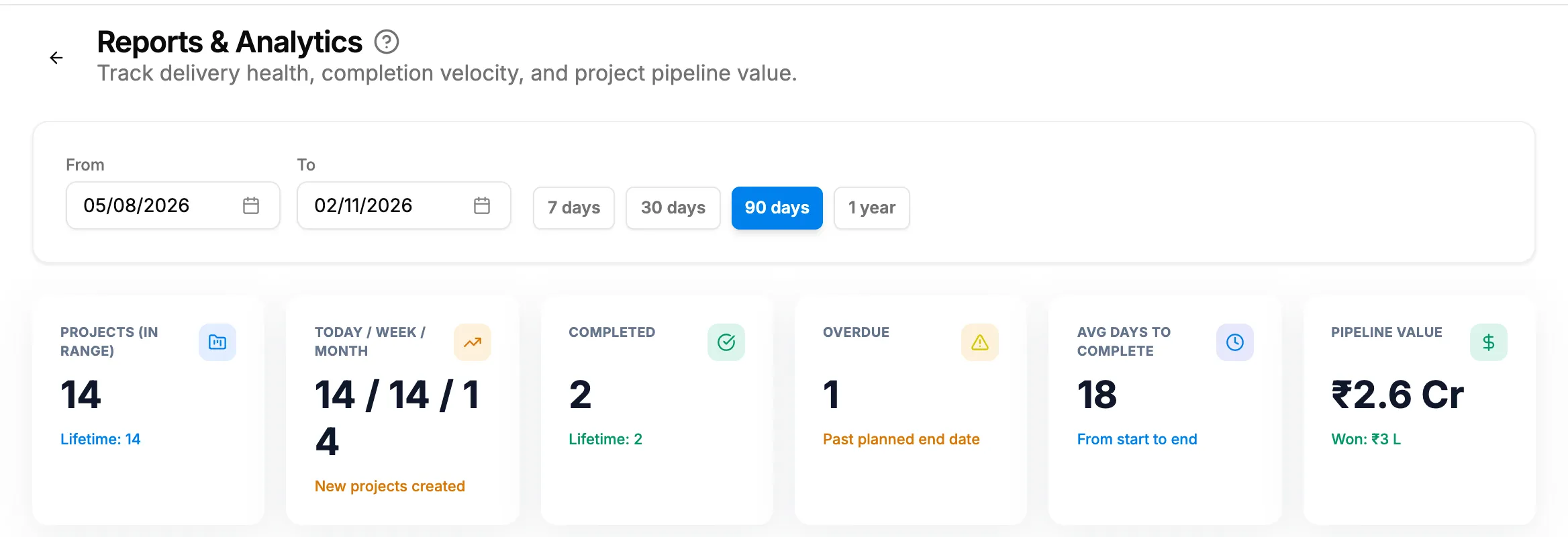
Step 2. Reports & Analytics with the range presets and the stat cards. -
Read the cards and charts for that range.
-
To open a project, select its name in Biggest Project, Team Performance or Recent Completions.
Result
The page shows these for the range you chose:
| Part | What it shows |
|---|---|
| Stat cards | Projects (in range) ("Lifetime: [number]"), Today / Week / Month ("New projects created"), Completed ("Lifetime: [number]"), Overdue ("Past planned end date"), Avg Days to Complete ("From start to end") and Pipeline Value ("Won: [amount]"). |
| Charts | Projects Trend, By Status, By Priority and By Project Type. |
| Biggest Project | The project's name, client, value and status badge. |
| Team Performance | "Top project managers ranked by projects in this range", with the columns Manager, Total, Completed and Completion Rate. Projects with no manager show as "unassigned". |
| Recent Completions | "Last 5 projects marked complete", with the columns Project, Client, Budget and Completed. |
If something is different
- No export button: this screen has no export. To export projects, use the list. See Find projects on the list.
- A dash instead of a value: there is no value to show yet, for example on Avg Days to Complete or Biggest Project.
- The Completed date in Recent Completions is later than the day the project finished: the column shows the day the project was last changed, not the day it was completed.
- A project created near midnight falls outside the range: the range uses the server's day boundaries. Widen the range by a day.
- "No assignment data" or "No completed projects yet": nothing in the range yet.
- "Failed to load analytics": reload the page.
- Values show "Restricted": see The value shows Restricted.