
Before you start
- You need Inventory Management.
- The project's system type is Chilled water ("Plant sized on the block load") or Hot water heating ("Plant sized on the block heating load").
- The system is confirmed, including "Is any air ducted on this project?". See Confirm the project's system.
- Your items include the plant with the AC Systems category and an equipment type.
Steps
-
Open AC Unit Recommendations for the project. See Open AC Unit Recommendations for a project.
-
On the Choose plant equipment card, read Plant duty: "Select the plant against the duty below. Sizes are from the heat load and the pipe sizing at the project delta T."
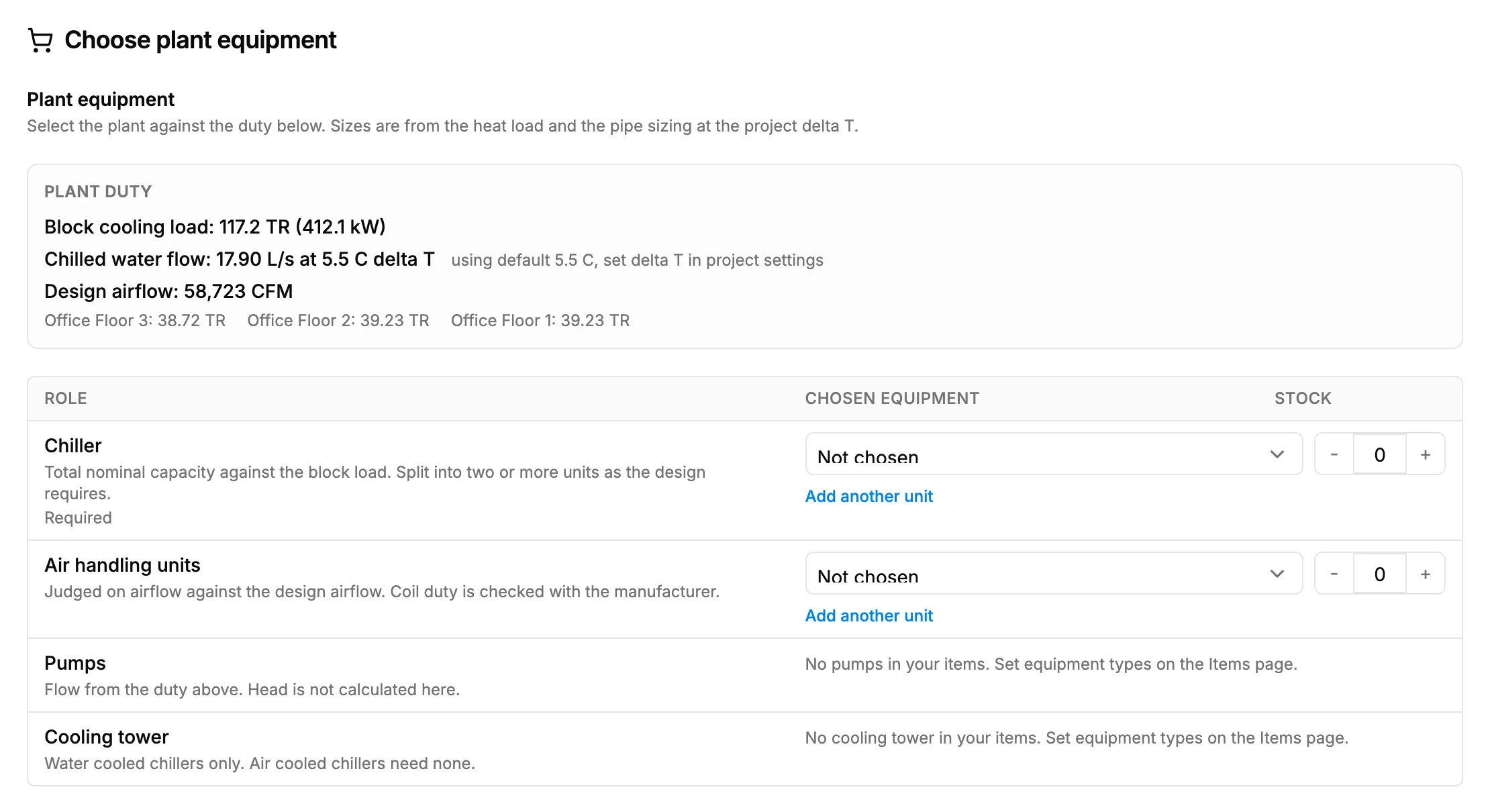
Step 2. Plant equipment with the duty lines and the Role table. -
Read the duty lines: the block cooling load in TR and kW, or the block heating load in kW; the chilled or hot water flow in L/s at the project's delta T; and the design airflow in CFM.
-
In the Role table, choose the Chosen equipment for each row. Chilled water: Chiller, Air handling units, Pumps, Cooling tower. Hot water: Boiler or heat pump, Pumps.
-
In Fan coil units per space, choose a unit and quantity for each space. "Spaces served by an AHU need no fan coil unit here."
-
Save the selection. See Save your equipment selection.
Result
The plant and the fan coil units are chosen against the duty. Nothing is saved until Save selection.
If something is different
- "Cannot compute: [reason]" on a duty line: the duty could not be worked out. Check the heat load and the project's chilled or hot water delta T in Edit Project.
- No equipment offered for a role: see "No equipment found" or "Type not set".
- Delta T: the water flow uses the project's chilled water or hot water delta T, set under Load & System in Edit Project. See Edit a project.