
Before you start
- You need Inventory Management.
- The project's system type is VRF / VRV. The sizing banner reads "Indoor units per space, outdoor units on the block load".
- The system is confirmed, including "Are any indoor units ducted?". See Confirm the project's system.
- Your items include VRF indoor and outdoor units with the AC Systems category and an equipment type.
Steps
-
Open AC Unit Recommendations for the project. See Open AC Unit Recommendations for a project.
-
In the Units per space table, choose the indoor unit and Qty for each space, as for room splits: Use takes the recommended unit. See Choose room split units for each space.
-
On the Outdoor units row, choose the outdoor unit and Qty. "Sized on the block load. Check the manufacturer's combination ratio before finalising."
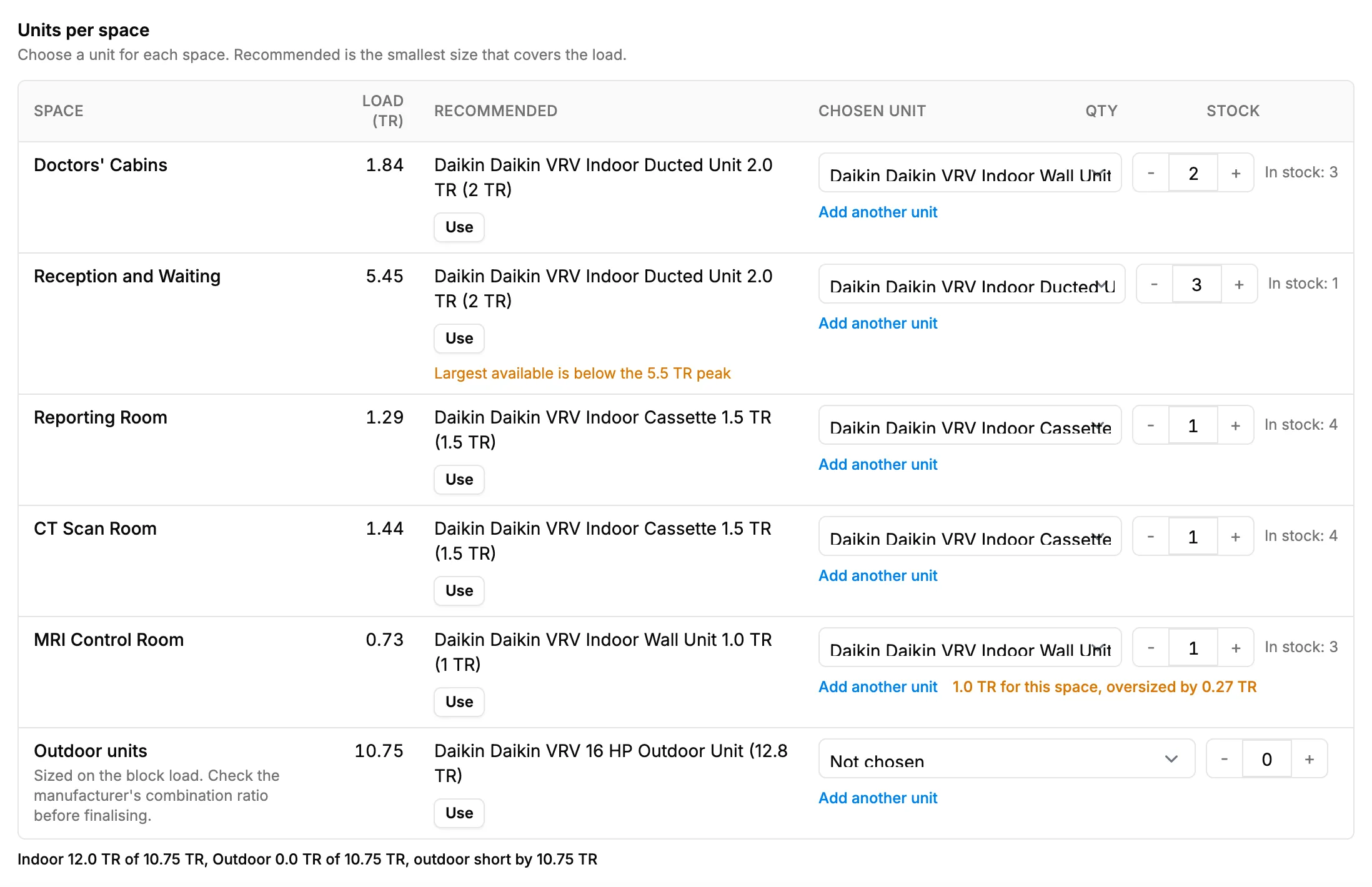
Step 3. The Outdoor units row under the Units per space table. -
Read the verdicts and the totals line.
-
Save the selection. See Save your equipment selection.
Result
Every space has its indoor unit, and the outdoor units cover the block load. Nothing is saved until Save selection.
If something is different
- No indoor or outdoor units offered: see "No equipment found" or "Type not set".
- The load chips say "Outdoor capacity is matched to the block load. Check the manufacturer's combination ratio limits before finalising.": the same check, shown on the load chips.
- A verdict is short or oversized: see The verdict says short or oversized.
- Units saved without a space: they show under "Not assigned to a room". Choose a space in Assign, or select Remove.