
Before you start
- You can see the project's System Type Selection stage. See I can't see some stages of a project.
- To delete a product, you need Edit on Projects and a role other than Technician or Worker.
Steps
Read the selection
-
Open the project's System Type Selection stage. See Open a stage and its tool.
-
Under the main task, read Selected AC systems ([number]): "Required [number] TR · Selected [number] · met ✓", or the verdict, and the airflow line "Required [number] CFM · Selected [number] CFM".
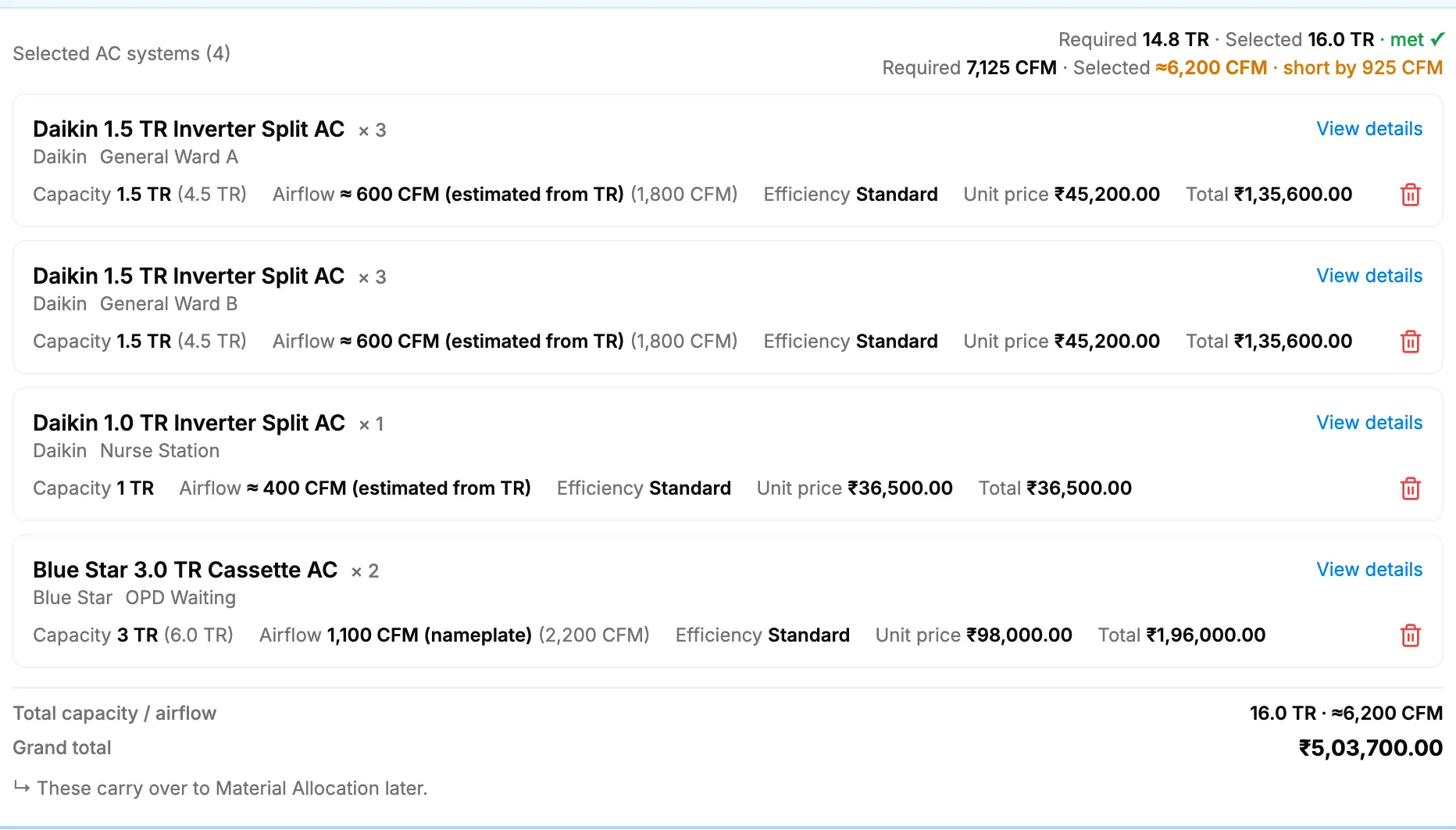
Step 2. Selected AC systems with the verdict line, the entries and the Grand total. -
Read each entry: name, "× [quantity]", the brand with the space name next to it, Capacity, Airflow, Efficiency, Unit price and Total. Entries are grouped as Plant, Per space and Not assigned to a room when there is more than one group.
-
Read the footer: Total capacity / airflow and Grand total. "↳ These carry over to Material Allocation later."
-
To see a product's details, select View details. The Product Details box shows the product name, brand, capacity, efficiency, price, type, description and specifications. Select Close.
Delete a selected product
- On the entry, select the bin icon. There is no confirmation.
Result
Read the selection: you see what was saved and whether it meets the required TR and CFM.
Delete a selected product: the message "Product removed successfully" shows and the entry is gone. To change the selection otherwise, open AC Unit Recommendations again. See Open AC Unit Recommendations for a project.
When the main task is complete, its badge reads "Done ([number] systems selected)".
If something is different
- The Grand total reads "Restricted": see The grand total shows Restricted.
- "Price not set", or "([number] units unpriced)": those items have no unit price.
- "To be ordered": the unit has no stock.
- "You do not have permission to do this." when you delete: you do not have Edit on Projects. Technicians and workers are refused by the server as well.
- The other layout: some projects show Selected AC Systems as cards, with Qty:, Capacity:, Airflow:, Efficiency:, Unit price:, Total: and View Details.