
Before you start
- You need Inventory Management.
- The project is sized on the block load: Ducted DX, or no system type. Room split, VRF, chilled water and hot water projects have no Get Recommendations.
- The fields on Project Requirements are not saved; they only filter and rank the list on screen.
Steps
-
On the Project Requirements card, check Required Cooling Capacity. It starts at the standard size nearest the heat load's required TR.
-
Optional: type in Search Products to narrow the list by name, brand, model or SKU.
-
Optional: pick a Budget Range to leave out pricier units.
-
Select Get Recommendations. It reads "Finding matches..." while it runs.
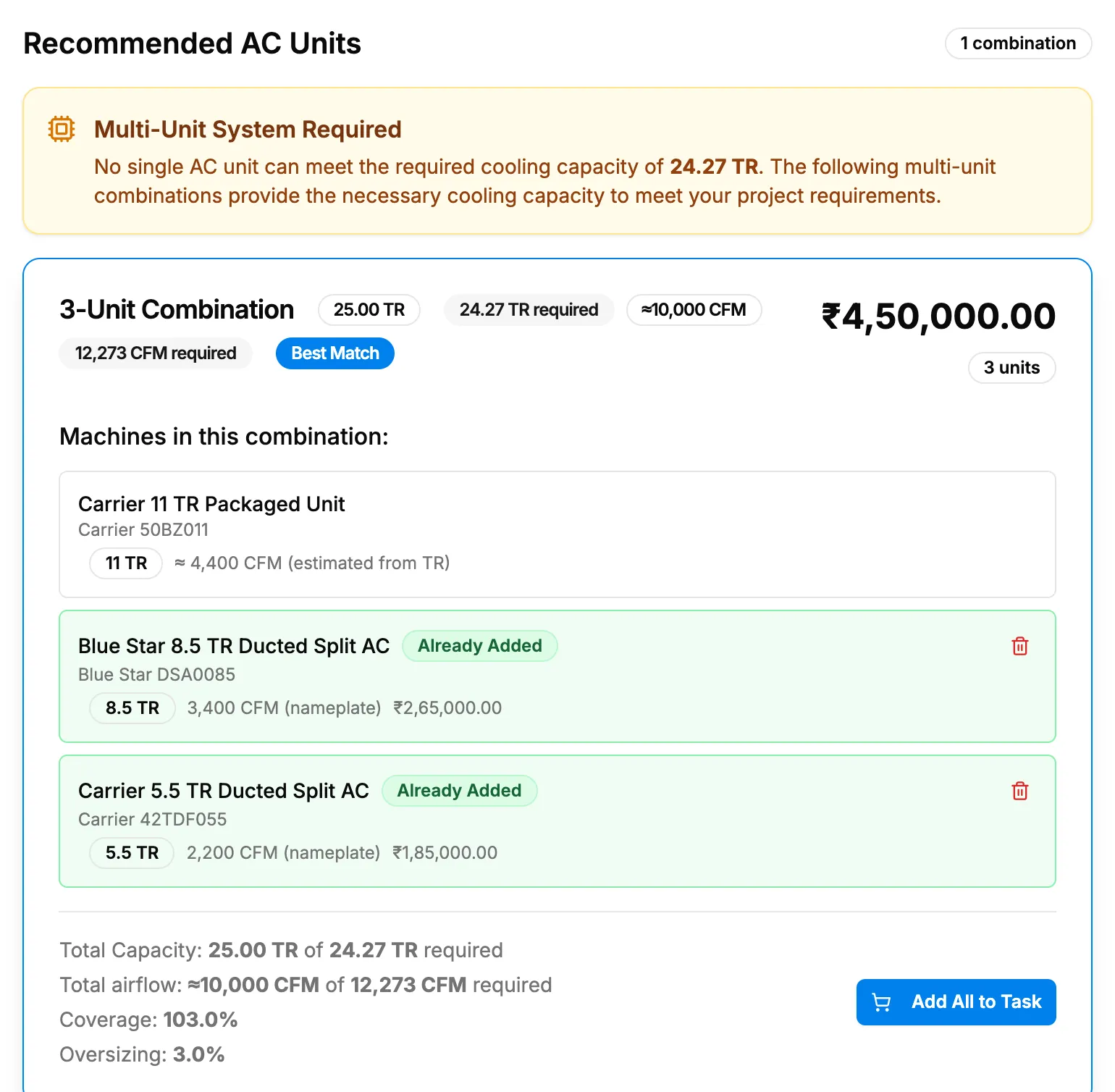
Step 4. Recommended AC Units with the Best Match card. -
Read Recommended AC Units: at most two single units, the first tagged Best Match. Each card shows the TR, airflow, price, stock and a short note on the unit. When no single unit fits, the list reads "Multi-Unit System Required" and shows combination cards: the Best Match tag is then on a combination, which shows no stock. When nothing reaches the load, it reads "Showing Closest Available Options" and the cards are tagged Closest Match.
-
Set the quantities of the unit you want on the Choose AC Systems card below. See Choose ducted units on the block load.
-
Save the selection. See Save your equipment selection.
Result
The badge beside Recommended AC Units reads "[number] match", "[number] matches", "1 combination" or "0 matches". Your chosen quantities show in the footer. Nothing is saved until Save selection.
If something is different
- "Multi-Unit System Required", "Smallest units that cover" or "Showing Closest Available Options": see "No single unit" or a multi-unit or closest-options banner.
- A combination card: to use this combination, set the quantities on the Choose card and save there.
- "No matches found", or "No matches - Try relaxing filters or picking a nearby tonnage.": clear Search Products and Budget Range, or pick a nearby Required Cooling Capacity.
- The top Budget Range option, "Above [amount]": it keeps units priced up to 10,000, not only those above. Leave Budget Range empty to see every price.
- "Ready for Recommendations": select Get Recommendations.
- The short note is missing: the note is optional and the cards work without it.
- A Best Match card's capacity reads oversized in the footer: see The verdict says short or oversized.