
Before you start
- You need Inventory Management.
- The project's heat load is calculated, so the page can size the equipment. See Calculate the heat load for a project.
- There is no AC Unit Recommendations item in the sidebar. Open it from the project.
Steps
-
Open the project, select the Project Stages tab, and open the System Type Selection stage. See Open a stage and its tool.
-
On the main task "Pick the AC systems for this project", select Open Recommendations. On some projects it reads Recommendations.
-
"Finding the best AC units for your project" shows while the page loads. Then AC Unit Recommendations opens: "Get personalized AC unit recommendations based on your project requirements and heat load calculations."
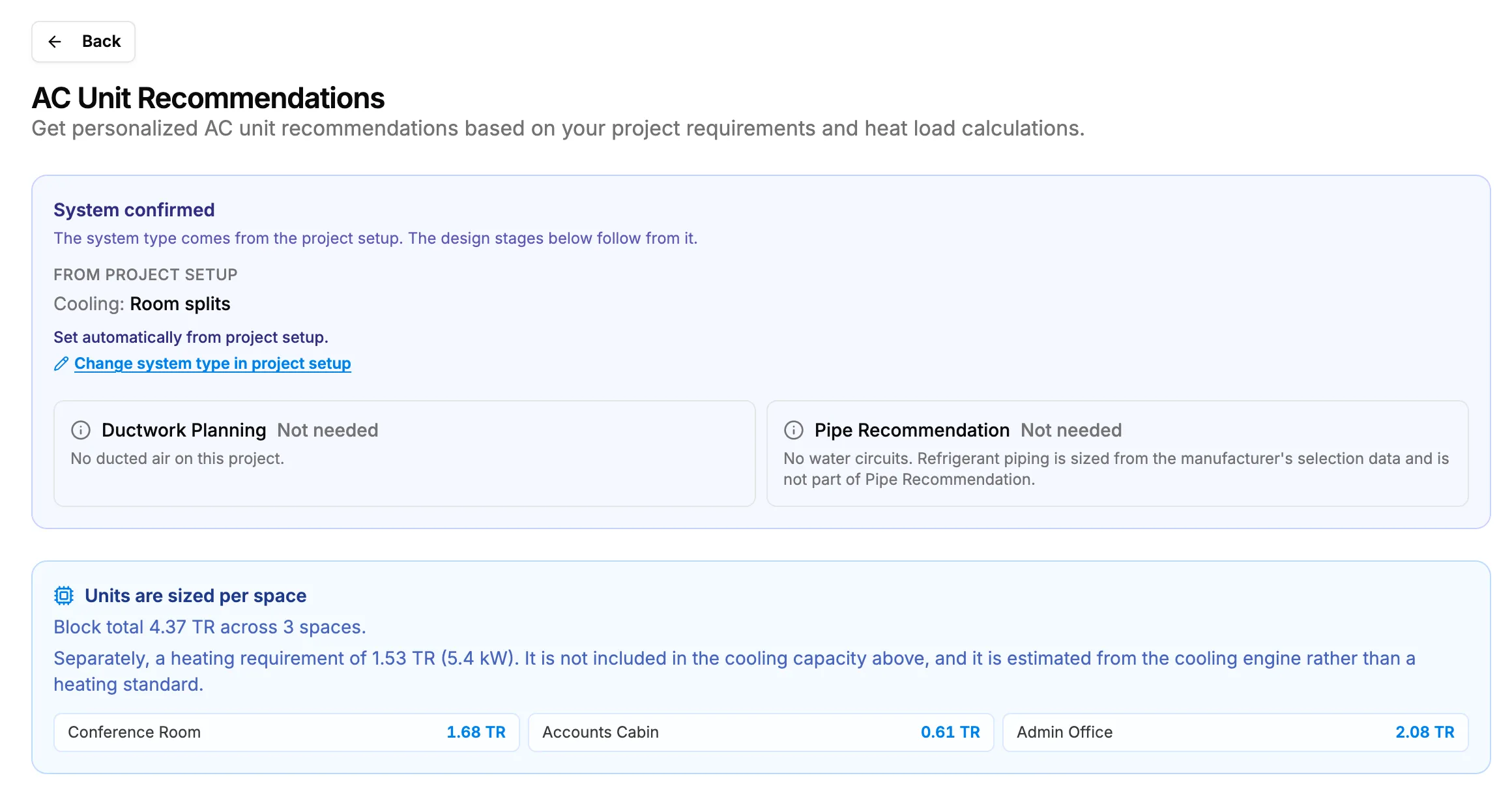
Step 3. AC Unit Recommendations with the System summary panel and the sizing banner.
Result
The page shows the System summary panel, the sizing banner with each space's load, the Project Requirements card, the results and the Choose card for the project's system type. Back returns to the project's System Type Selection stage.
On a room split or ducted DX project, the system is confirmed when the project is created: the panel reads "System confirmed" and "Set automatically from project setup.", with the link Change system type in project setup.
Next: Confirm the project's system.
If something is different
- From Duct Sizing: in Generate duct tree from heat load, select Pick the AC systems for this project →.
- From the heat load results: on a space's room unit card, select Select equipment in System Type Recommendation.
- "Access Denied": see Open Recommendations sends me to Access Denied.
- The page stays on "Finding the best AC units for your project": see The page stays on "Finding the best AC units for your project".
- "Failed to fetch HVAC calculation data": see "Failed to fetch HVAC calculation data".
- The sizing banner says "Calculate the heat load first.": calculate the project's heat load, then open the page again.