
Before you start
- The Branches module is on for your company.
- No permission is needed to choose your own working branch.
Steps
-
In the header, select the branch code button. Its tooltip reads "Working branch". The menu "Working branch" lists each branch with its code, and the main branch has a Main badge.
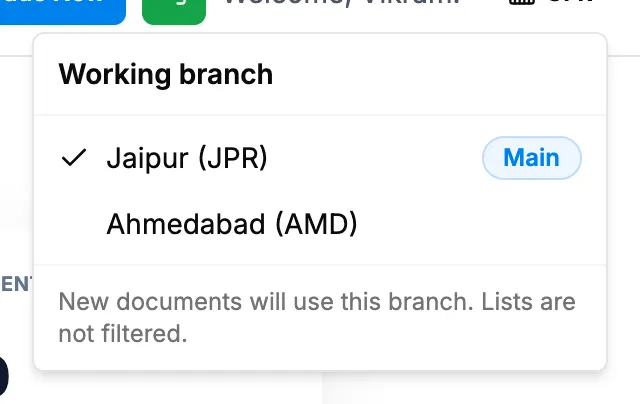
Step 1. The Working branch menu open in the header. -
Select the branch you work from.
Result
The message "Working branch set to" with the branch name shows, for example "Working branch set to Jaipur." "New documents will use this branch. Lists are not filtered." You still see records of every branch in lists.
If something is different
- No branch picker in the header: see I don't see the branch picker in the header.
- A branch is missing from the list: inactive branches are not offered. See How a branch moves between Active and Inactive.
- Your default branch: an Admin can set the branch your new documents start on. See Set a user's default branch.