
Before you start
- You are signed in. No permission is needed.
Steps
-
Select your name at the bottom of the sidebar. The profile menu opens.
-
Select Sign out. A box asks "Sign out?" with "You will be logged out of your account and redirected to the login page."
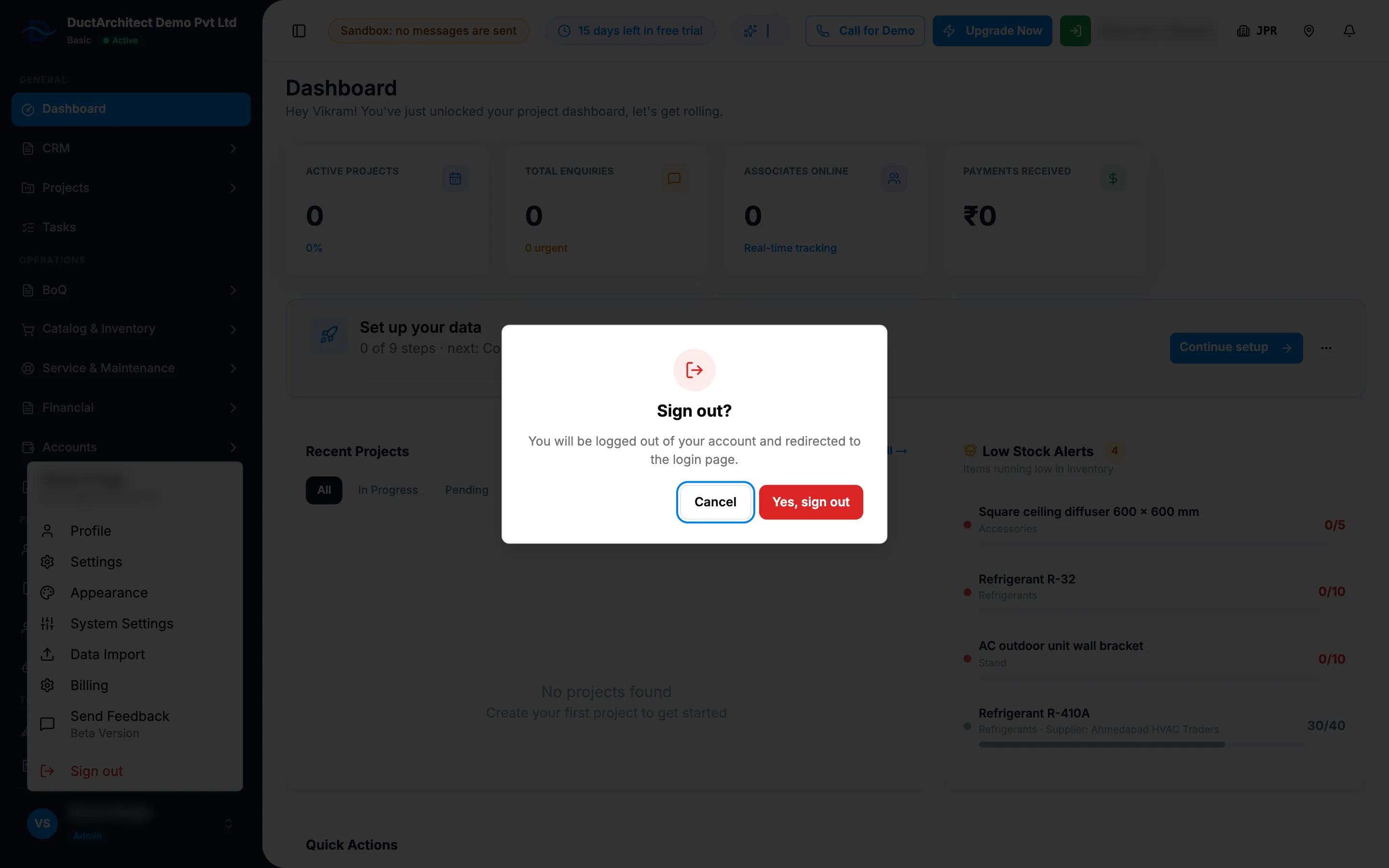
Step 2. The Sign out? confirmation. -
Select Yes, sign out.
Result
The screen shows "Signing out..." and then the sign-in screen with "You have been successfully logged out. Please sign in again to continue."
If something is different
- You are on "Plans & Pricing" or "Set up your company": there is no sidebar. Select Logout at the top right.
- You changed your mind: select Cancel in the "Sign out?" box.