
Before you start
- You are signed in. No permission is needed.
- The Sidebar Visibility list shows only groups you can open. Hiding a group there does not take away your permission.
Steps
Switch between light and dark theme
-
Select your name at the bottom of the sidebar.
-
Select Appearance.
-
Select the Light tile or the Dark tile. The chosen tile shows "Selected".

Step 3. The theme tiles on Appearance, with Dark selected. -
Select Save Changes.
Choose which menu groups show in your sidebar
-
Select your name at the bottom of the sidebar.
-
Select Appearance.
-
In Sidebar Visibility, untick each group you want to hide. A ticked group is shown.
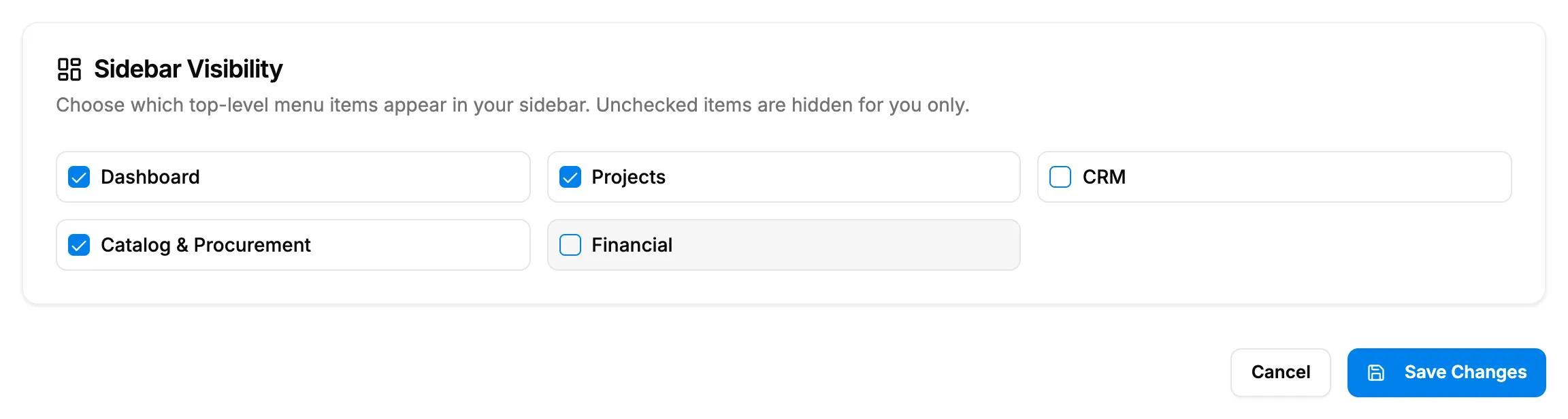
Step 3. The Sidebar Visibility card with some groups unticked. -
Select Save Changes.
Collapse or expand the sidebar
-
In the header, at the far left, select Toggle Sidebar. On a computer you can press Ctrl + B instead, or Cmd + B on a Mac.
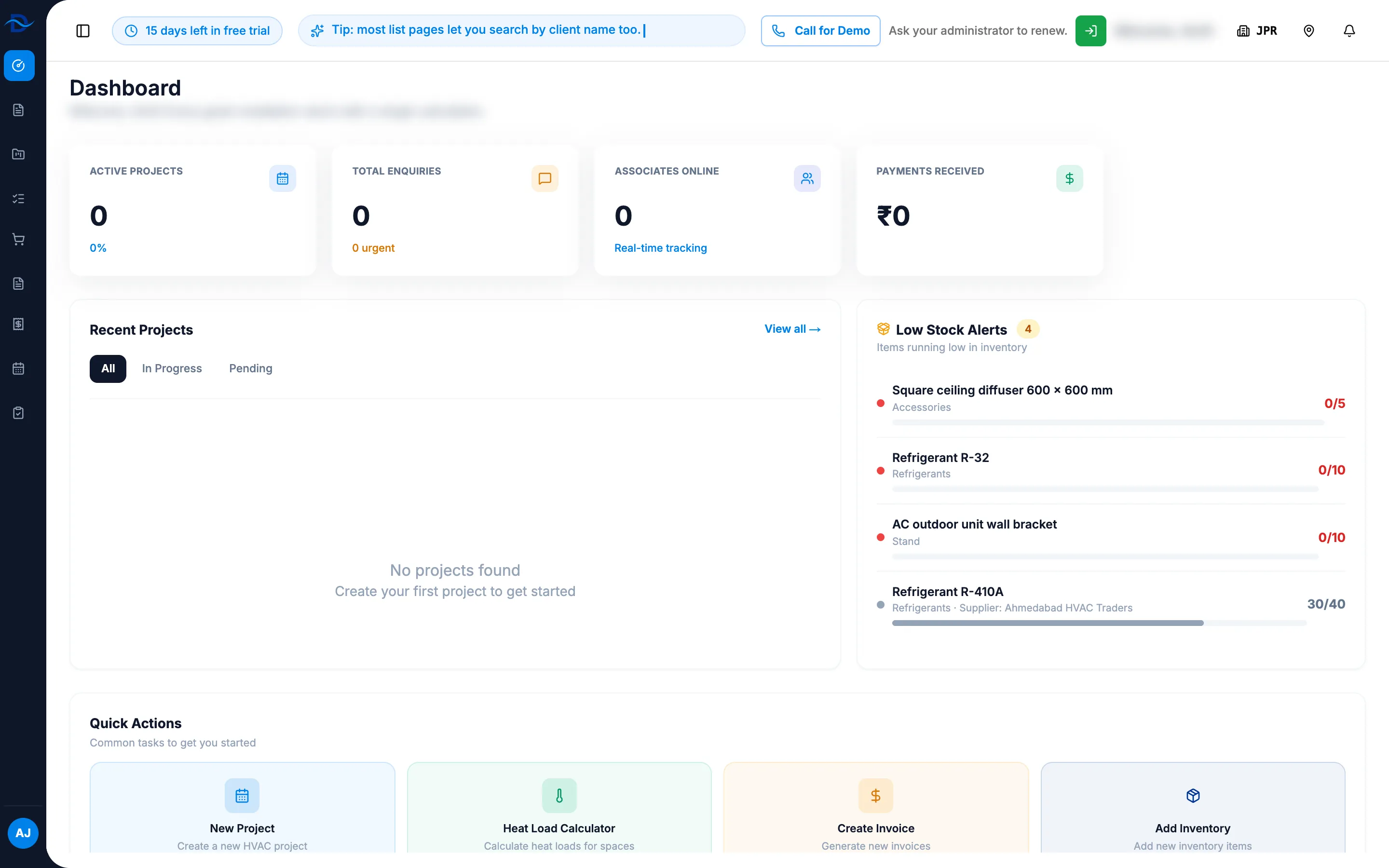
Step 1. The sidebar collapsed to icons, with Toggle Sidebar in the header.
Result
Switch between light and dark theme: the message "Appearance settings saved" shows and the screen changes to the theme you chose. The theme is saved to your account, so it applies when you sign in on another device.
Choose which menu groups show in your sidebar: the message "Appearance settings saved" shows. The unticked groups leave your sidebar. "Unchecked items are hidden for you only." Other people still see them. To bring a group back, tick it again and select Save Changes.
Collapse or expand the sidebar: the sidebar shrinks to icons. Select Toggle Sidebar again, or press the same keys, to open it. DuctArchitect remembers your choice on this browser.
If something is different
- There is no theme switch in the header: the theme is set only on Appearance.
- "Failed to save theme": try again. If it repeats, submit a request.
- Unticking Catalog & Procurement, Operations or Workers changes nothing: see Unticking a menu group in Appearance does not hide it.
- HRMS is not in the list: HRMS cannot be hidden here.
- "No menu items available to configure.": you have no menu groups to hide.
- "Failed to save sidebar visibility": try again.
- On a phone: Toggle Sidebar opens the menu over the page. Select an item to open it and close the menu.