
Before you start
- You need Operation Management, Maintenance Management or AMC Service Management, and View on Service visits. By default Owner, Admin and Manager have them.
Steps
-
In the sidebar, select Service & Maintenance › Clients & Assets. "Clients & Assets" opens: "Every serviced machine and its full history, whether you installed it or inherited it". The first client is selected.
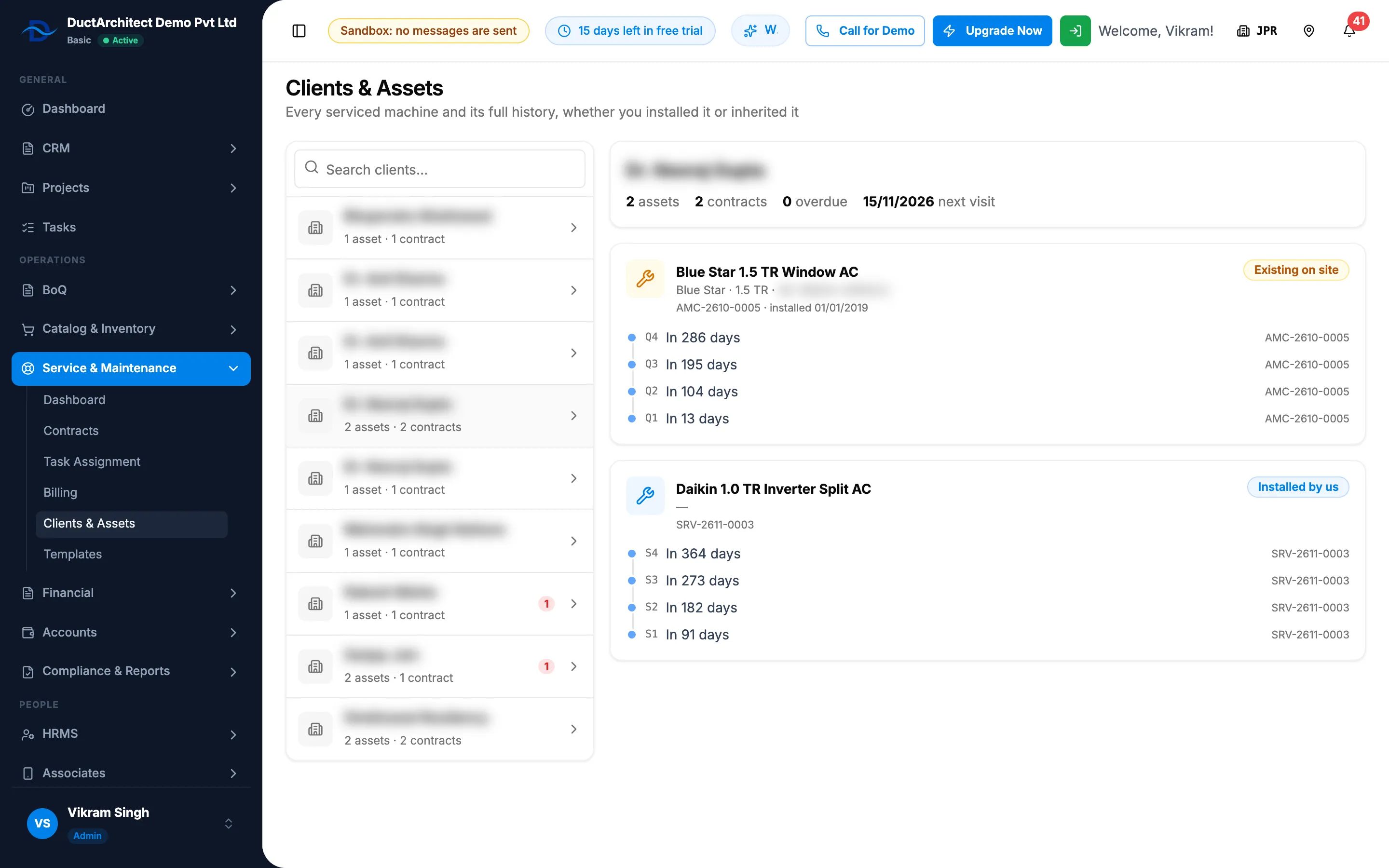
Step 1. Clients & Assets with the client list and one client's machine cards and timelines. -
In Search clients…, type the client's name. Each client shows "[number] asset(s) · [number] contract(s)" and, in red, how many visits are overdue.
-
Select the client. The header shows the number of assets, contracts and overdue visits, and the date of the next visit.
-
Read each machine card: brand, capacity and model, "SN [serial]", its contract numbers, "installed [date]", and the badge Installed by us or Existing on site.
-
Read the machine's timeline. Each visit shows "Done · [date]" or when it is due, and its contract number. Entries a worker recorded with no scheduled visit are tagged "Unscheduled", with their charge.
Result
You see every machine you service for the client and what has been done on each. The page is read only: it has no export and no buttons. To act on a visit, use Task Assignment. See Find visits on Task Assignment: filter and export.
If something is different
- A client is not found: the list shows only clients with at least one machine, and the search matches the client name only. To put a machine on record for a client, see Add a client's machine that is not in your item catalog.
- A machine you installed shows Existing on site: the badge reads Installed by us only for a machine linked to one of your stock outs. See How a client's machines get into Clients & Assets.
- A machine's details are wrong: correct them on a contract for it. See Edit a contract.
- The charge shows ₹ for a contract in another currency: see A visit shows the wrong day or overdue text, or amounts show ₹ in another currency.
- The dashboard's "Missing contact details" opened this page: contact details are kept on the client and the contract. See Edit a client or mark it inactive and Edit a contract.
- "Failed to load clients": reload the page.