
Before you start
- You need Edit on Service contracts and Can see selling prices. By default Owner, Admin and Manager have them. With View only, the page opens read only.
- With Can see all records unticked, you can edit only contracts of your own projects or clients.
Steps
-
In the sidebar, select Service & Maintenance › Contracts and find the contract. See Find contracts: search, filter, open and export.
-
On its row, select the pencil icon. It has no label. "Edit contract" opens: "[number] Update contract details: the contract number and visit history stay unchanged."
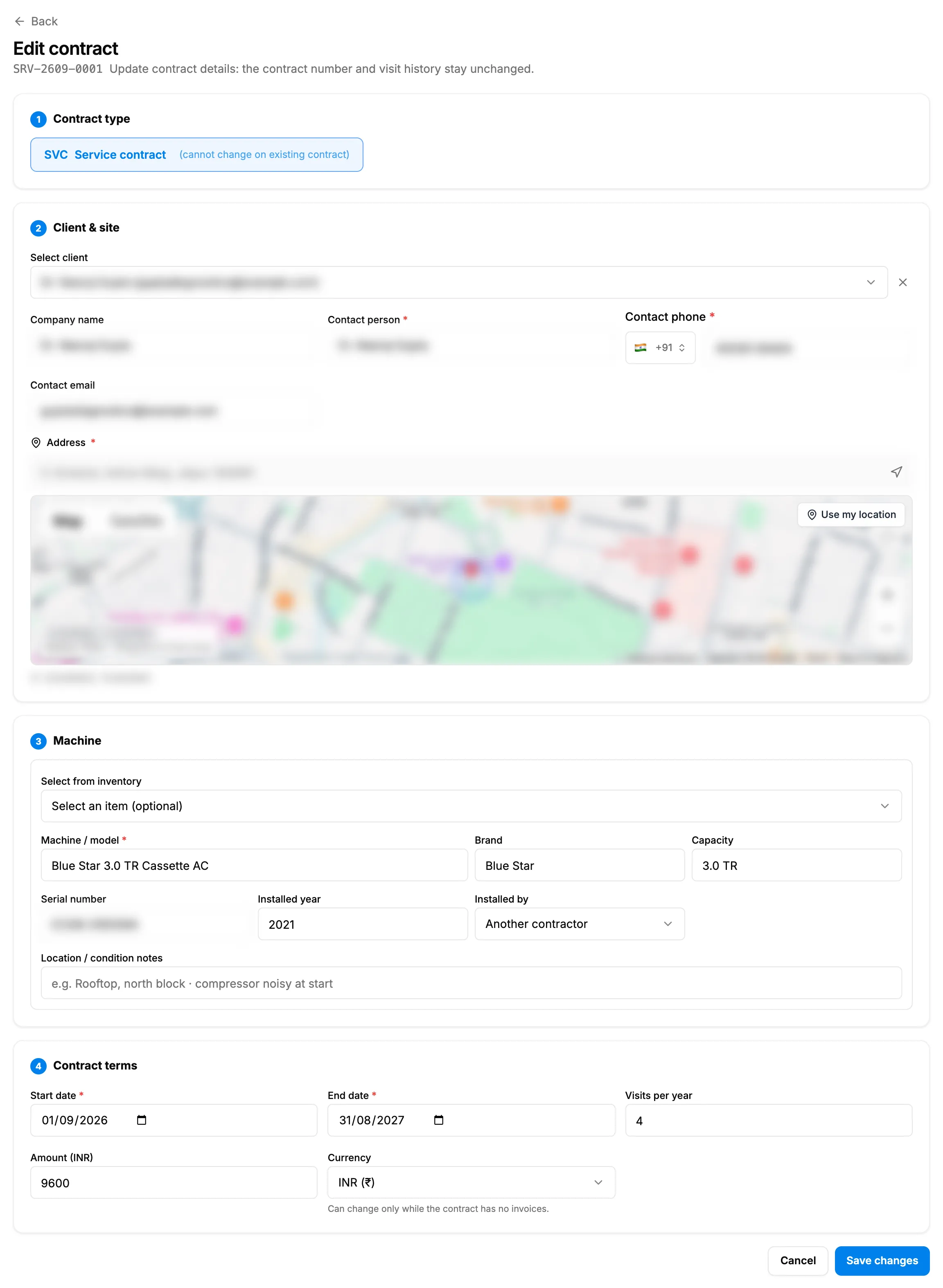
Step 2. Edit contract with the type locked and the four cards. -
Check the type under Contract type. It is locked: "(cannot change on existing contract)".
-
Under Client & site, change the client, Company name, Contact person, Contact phone or Contact email. These stay editable with a client picked. The Address box cannot be typed in: pick a place from its search or move the pin on the map.
-
On the Machine card, correct its details. This is the only screen that changes a machine.
-
Under Contract terms, change Start date, End date, Visits per year (not for an AMC: "Fixed at 4 for AMC."), Amount or Currency. The currency "Can change only while the contract has no invoices."
-
Select Save changes.
Result
The message "Contract updated" shows. On a service or warranty contract, a change to the start date, end date or visits per year spreads the pending visits again over the new term. Completed visits, and a visit a technician is checked in to, are kept. The contract reads Active while its end date is today or later, else Expired.
If something is different
- Only Close at the bottom, and nothing can be changed: you have View but not Edit on Service contracts.
- No pencil icon: you cannot see selling prices. See New contract, Renew, edit or delete is missing, or amounts show Restricted.
- No Amount or Currency: the contract is a warranty, which is always free.
- "This contract has invoices, so its currency cannot change.", "End date must be in the future. The remaining visits cannot be scheduled. Existing visits were left unchanged." or another refusal: see Edit contract cannot be saved, or a change is not kept.
- The AMC type did not change: see the note above and Edit contract cannot be saved, or a change is not kept.
- "Failed to load contract": reload the page, or open the contract again from Contracts.