
Before you start
- You need User Management and Add on Customers.
- Your company's plan is active.
- Have the client's name, phone, company and address ready. All four are required.
Steps
-
In the sidebar, select CRM › Clients. When the CRM module is off, select Management › Clients.
-
Select Add Client. The "Add Client" box opens.
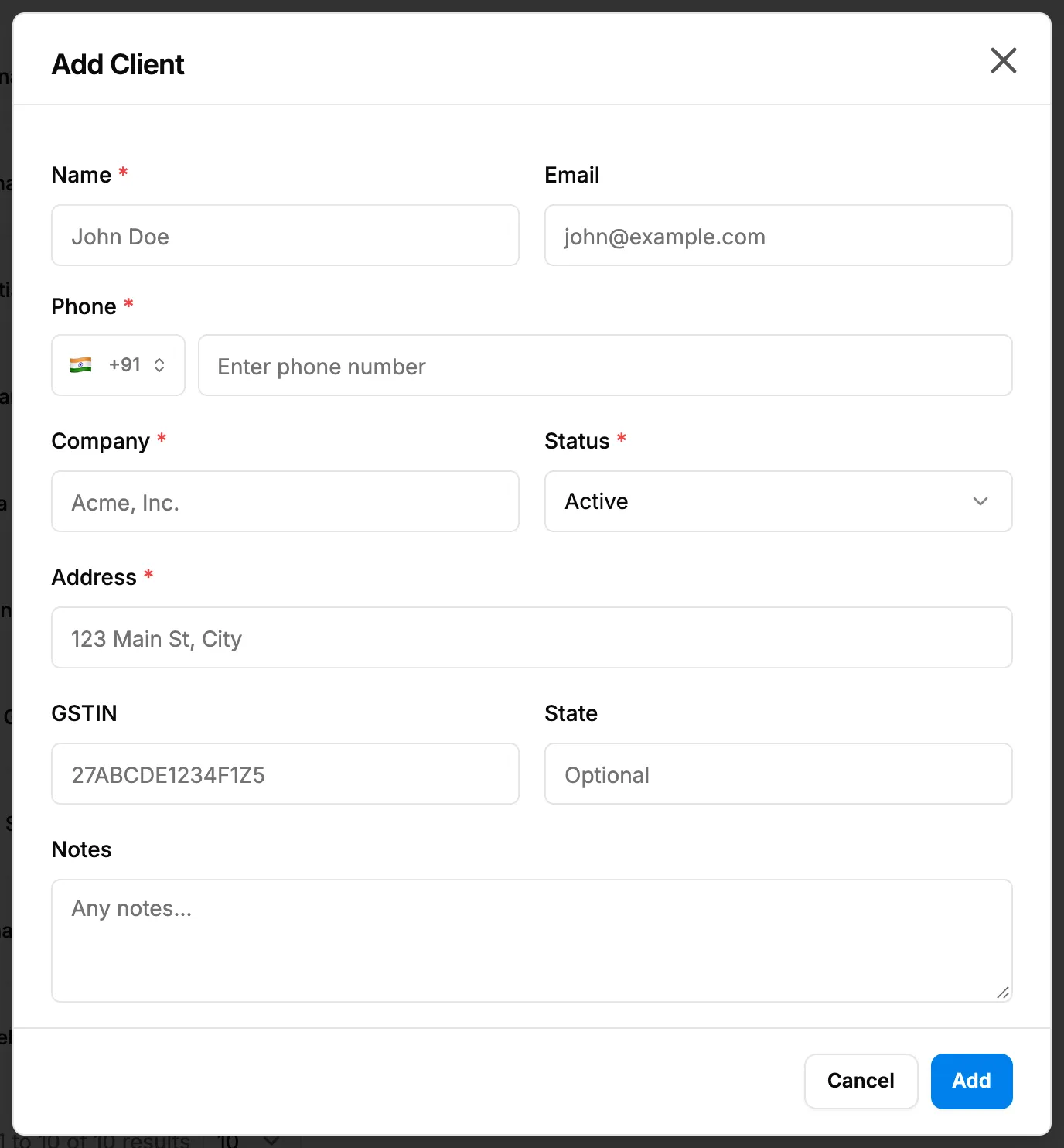
Step 2. The Add Client box with Name, Email, Phone, Company and Status. -
Fill in the fields:
Field Required What to enter Name Yes 2 to 50 characters. Email No Up to 100 characters. Phone Yes A phone input with a country flag. It starts with your company's country code. Type the number after it ("Enter phone number"). Up to 30 characters. Company Yes Up to 100 characters. Status Yes Active or Inactive. Starts at Active. Address Yes Up to 191 characters. GSTIN or Tax Registration No. No GSTIN for an Indian company, checked as a 15-character GSTIN. Tax Registration No. for other countries. Up to 30 characters. State No Up to 100 characters. Notes No Up to 2000 characters. -
Select Add.
Result
The message "Client created" shows. The client is at the top of the list with the status you chose, Active by default. An active client is offered in Select Client on enquiries and in the other forms that pick a client.
Extra spaces in Name, Company and Address are removed when you save.
Next: Add an enquiry.
If something is different
- No Add Client button: you do not have Add on Customers. Access Denied when you open Clients: see I can't open Clients, or adding a client is refused.
- A plan warning opens: see Add Enquiry or Add Client opens a plan warning.
- "Name must be at least 2 characters", "Phone number is required", "Company name is required" or "Address is required": fill in the field.
- "Enter a valid GSTIN (15 characters, e.g., 27ABCDE1234F1Z5)": check the GSTIN, or leave it empty.
- Outside India: the field reads Tax Registration No. and is not checked as a GSTIN.
- You are adding an enquiry: you can add the client from the enquiry form with + Add new client in Select Client. See Add an enquiry.
- Many clients at once: use Download Template and Bulk Upload on this page, or Data Import. See Import clients from Excel.