
Before you start
- You need Enquiry Management and Delete on Enquiries.
- The enquiry is not Converted. A converted enquiry cannot be deleted.
- To keep the enquiry but close it, change its status to Cancelled instead. See Change an enquiry's status or priority.
Steps
-
In the sidebar, select CRM › Enquiries.
-
On the enquiry's row, open the menu and select Delete Enquiry. Or open the enquiry, open the ... menu and select Delete Enquiry.
-
The box "Delete Enquiry" asks "Are you sure you want to delete this enquiry? It will be removed from all lists and reports; the record is kept."
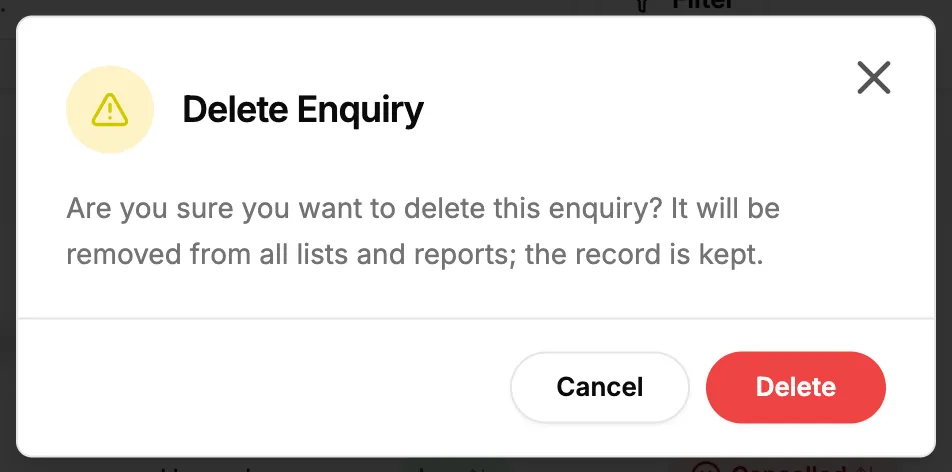
Step 3. The Delete Enquiry box. -
Select Delete. It reads "Deleting..." while it works.
Result
The message "Enquiry deleted successfully" shows. The enquiry leaves every list, the stat cards and CRM Reports & Analytics. The record is kept: an Owner or Admin can restore it from Settings › Recycle bin, under Enquiries, with the status it had. See Recycle bin: restore records and set retention.
If something is different
- No Delete Enquiry: you do not have Delete on Enquiries, or the enquiry is converted. See An enquiry cannot be deleted.
- A cancelled enquiry has no ... menu on its page: delete it from the list's row menu.
- "Cannot delete enquiry that has been converted to project": the enquiry became a project. See An enquiry cannot be deleted.
- "Failed to delete enquiry": try again.