
Before you start
- You need Operation Management and View on Duct and load calculations.
- Your company's plan is active.
- Nothing is saved without a project. To keep the sizing, open Duct Sizing from a project. See Size the ductwork for a project.
Steps
-
In the sidebar, select HVAC Tools › Duct Sizing.
-
To change units, select Imperial or Metric in the header. The choice starts with your company's preference, or your company's country.
-
In the Change Unit System? box, read the text and select Convert & Change. The text names the units you change to, for example "converted to SI (Metric) units", and adds "Note: HVAC space calculator inputs are not automatically converted."
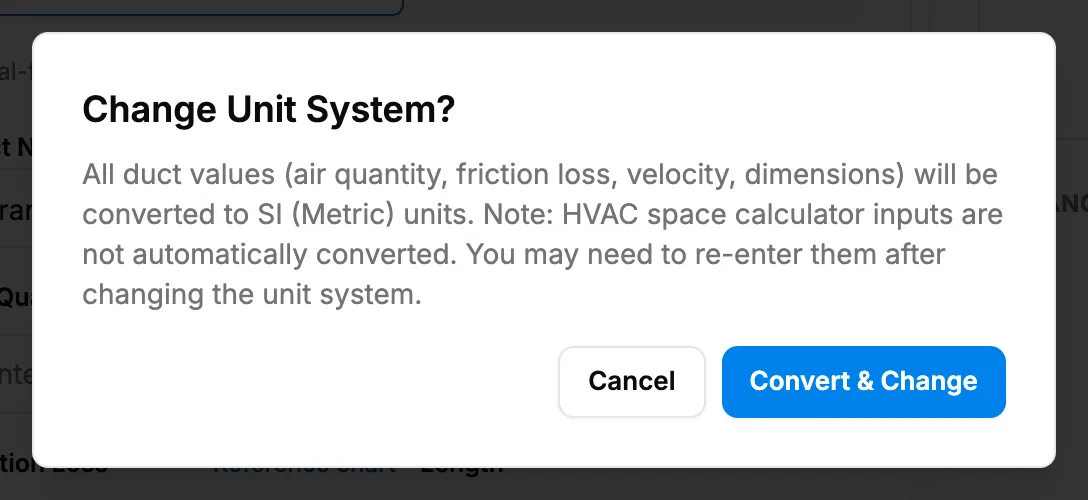
Step 3. The Change Unit System? box with Convert & Change. -
Add ducts and size them as in a project. See Add main ducts and branches and Size a duct by friction loss or by velocity.
-
To keep a copy, open Results report and select Export CSV. See Export duct sizing results.
Result
The ducts are sized in the units you chose. Changing units converts "All duct values (air quantity, friction loss, velocity, dimensions)". Nothing is saved when you leave or reload the page.
If something is different
- The box warns "HVAC space calculator inputs are not automatically converted. You may need to re-enter them after changing the unit system.": heat load inputs keep their old units.
- "Unit converted, but couldn't save the preference to this project.": the ducts were converted, but the unit choice was not stored.
- No Save and no Generate from heat load: both need a project.
- A plan box or Billing opens: see Save says the plan is not active, or Duct Sizing sends me to Billing.
- No HVAC Tools group: see Duct Sizing is missing or opens Access Denied.