
Before you start
- You need Operation Management, and Edit on Duct and load calculations.
- Open Duct Sizing. See Size the ductwork for a project, or Size ducts without a project.
- Inside a project with a heat load, you can build the whole tree at once instead. See Generate the duct tree from heat load.
Steps
Add main ducts
-
In the Duct tree card, select Main duct. A duct named "Main-Duct-[number]" is added.
-
To add five at once, select Adding many? Bulk add….
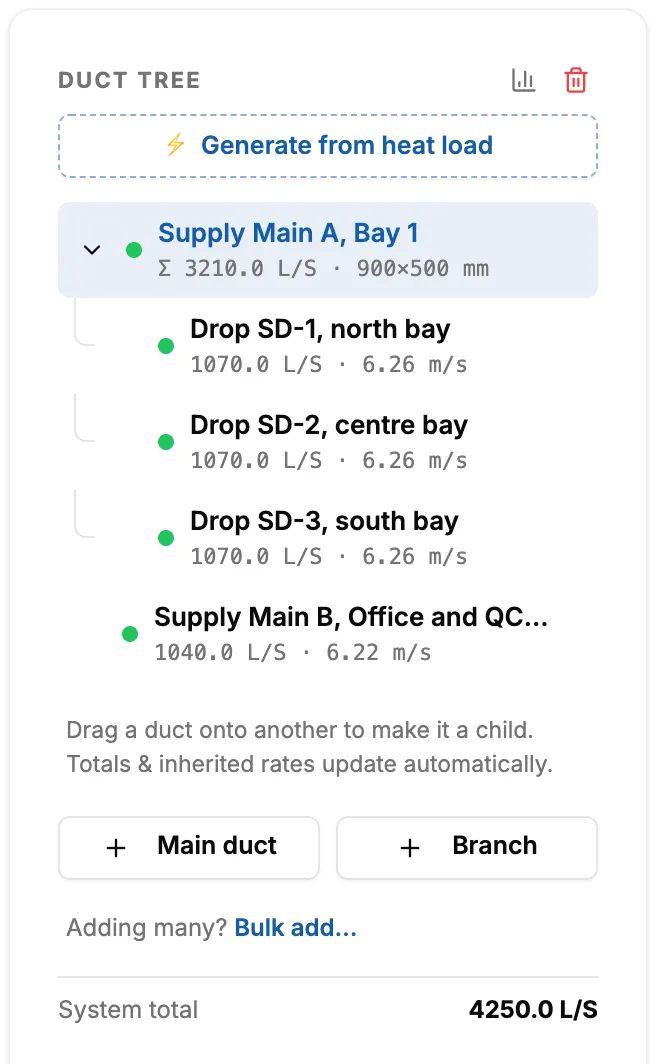
Step 2. The Duct tree card with Main duct, Branch and Bulk add.
Add branches
- In the tree, select the duct the branches come off.
- Select Branch. Branches named "Branch-[number]" are added under it.
- Select each branch and set its air quantity in Air data.
Duplicate a duct
- Select the duct in the tree.
- At the bottom of the screen, select Duplicate duct.
Result
Add main ducts: the message "Added [number] main duct(s)" shows and the ducts are in the tree.
Add branches: the message "Added [number] branch(es) to [parent], set air quantity on each" shows. The parent's air quantity becomes the sum of its children: "Σ Sum of children".
Duplicate a duct: the message "Duplicated [name]" shows and the copy is in the tree.
The bottom line of the tree shows one total: "[parent] children" while a branch is selected, or System total while a main duct is selected. Next: Size a duct by friction loss or by velocity.
If something is different
- "Select a duct first to add branches.": select a duct in the tree, then Branch.
- "Select a duct to duplicate.": select a duct, then Duplicate duct.
- No Main duct, Branch or Duplicate duct: you have View but not Edit on Duct and load calculations. See I can't change a duct's size.
- To rename a duct: change Duct Name in Air data. It is required to save, up to 50 characters: "Enter duct name."